10 Cheap Sim Racing Upgrades That Make You Faster
Most sim racers assume that getting faster means spending more — a direct drive wheelbase, a load-cell brake kit, a triple-monitor setup. And yes, those things help. But some of the best cheap sim racing upgrades cost less than a tank of fuel and will have a bigger effect on your lap times than gear that costs ten times as much. I know, because I have been through almost all of them myself.
I am Marian, and I have been sim racing for over five years — coaching students, breaking down track data, and constantly tinkering with my own rig. In this article I am going to walk you through the ten upgrades I actually use and recommend, in roughly the order they appear in the video above. Every single one of these is accessible, practical, and — most importantly — proven to move the lap-time needle.
The Ten Cheap Sim Racing Upgrades That Actually Make You Faster
1. Velcro Seat Pads
This is the upgrade I never expected to care about, and now I cannot race without it. Velcro foam pads — the kind that come with some seats or that you can buy for a few dollars each — attach directly to the seat shell and let you build a custom support profile around your own body. I have six to eight of them arranged so that the seat almost wraps around me; I barely move left or right even under heavy cornering load.
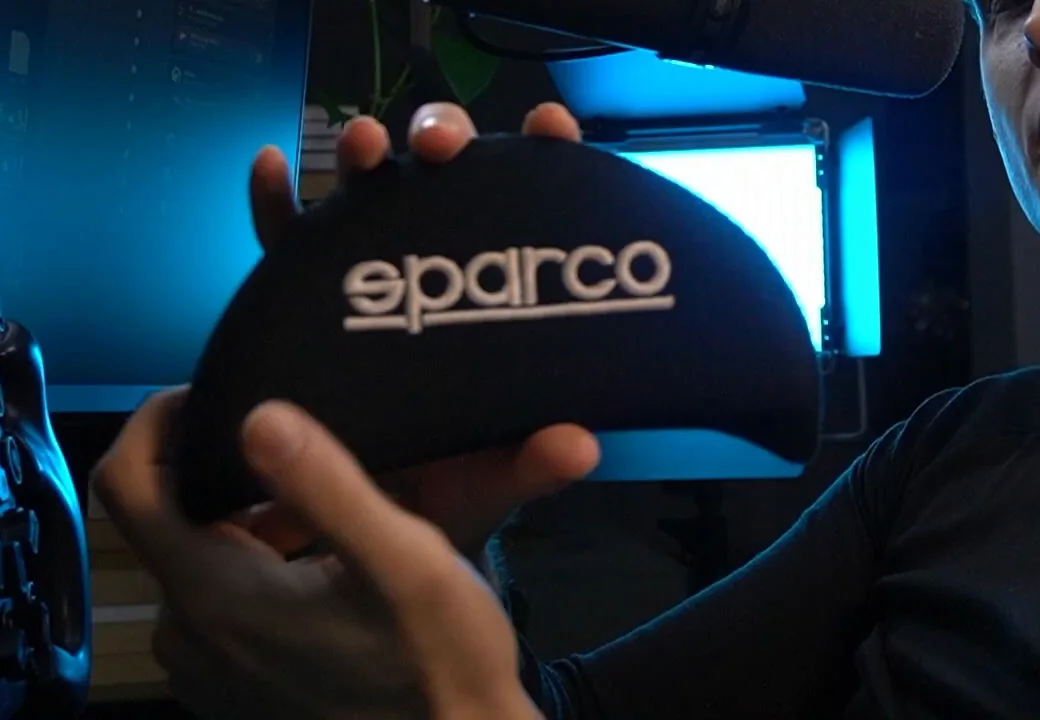
Why does that matter for lap times? Over a long stint, physical discomfort is a distraction. Every time your body shifts in the seat, part of your brain is compensating rather than driving. Consistent seating position also means more consistent pedal inputs — your foot lands in the same place on the brake every single time. For roughly $15 or less per pad, this is one of the best value upgrades on this list.
2. Metal Brake Pedal Springs
This is, without question, the single upgrade that made the biggest difference to my personal performance. Most entry-level and mid-range pedal sets ship with a rubber bump-stop to simulate brake resistance. Rubber ages. It heats up over a race session. The feel changes between lap 1 and lap 30, and that inconsistency works against you without you even realising it.
Metal springs do not degrade the same way. You get a consistent, controllable resistance every time you put your foot in. You can also combine springs of different stiffnesses — put two different colours in together and you create a two-stage feel: lighter initial travel, then a firm wall as you hit peak braking. This gives you far more control during trail-braking and a much better sense of exactly how much pressure you are applying.
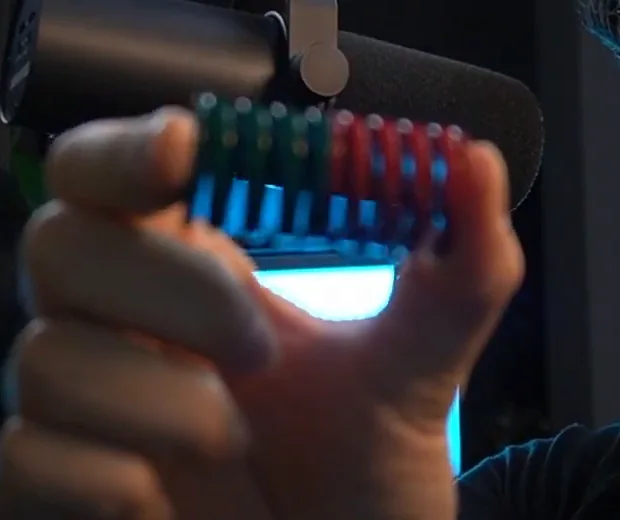
You do not need a specific brand. Search Etsy or your local marketplace for a spring mod for your specific pedal set — you will find options for $10–$20 that will almost certainly outperform the stock rubber. After I switched, I was immediately more confident on the brakes, more consistent, and measurably quicker.
Average lap times win races. Not your single best lap — your average. Anything that makes you more consistent, lap after lap, is worth more than an upgrade that adds one tenth on a perfect lap.
3. Heel Raiser / Foot Platform
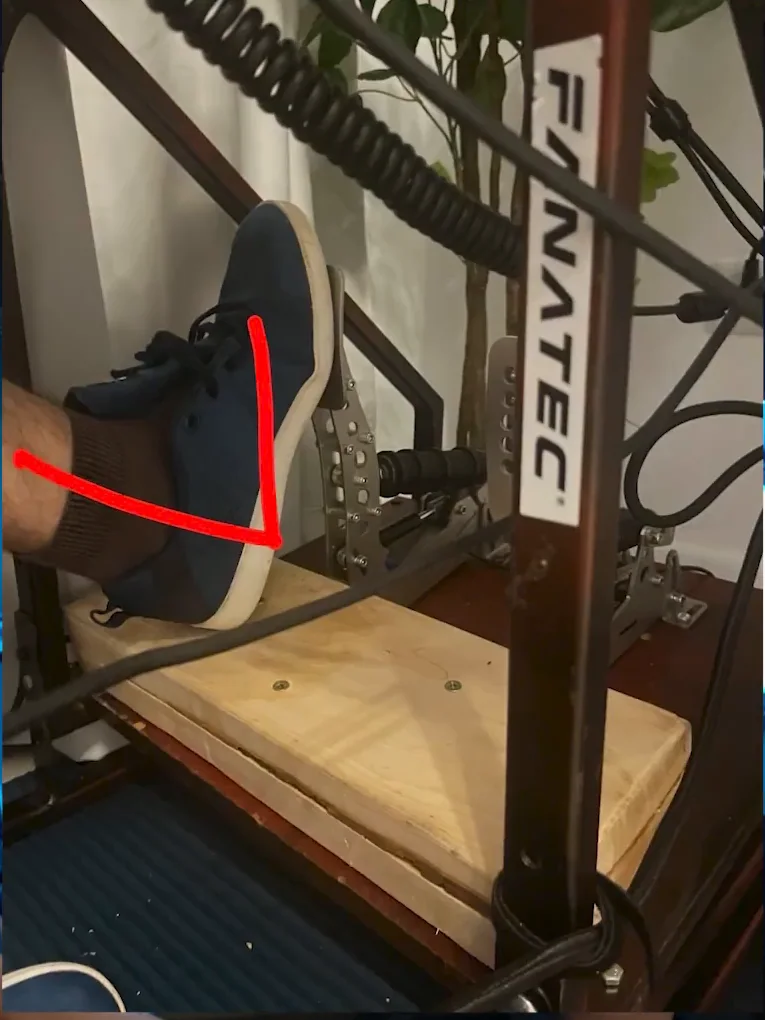
When the distance between your heel and the pedal face is too large, you end up lifting your whole leg to press the brake. Do that for 30 laps and your leg tires out. More importantly, you lose precision — a tired leg means inconsistent pressure, and inconsistent pressure means inconsistent braking points.
The fix is a heel raiser: a simple raised platform under your feet that closes the gap and lets your heel sit planted while your ankle does the work. I built my first one out of a piece of wood in my older rig. Even on my current setup — which is a fairly high-end rig with a lot of adjustability — I still needed one. It is cheap, it is easy to make yourself, and it will improve your pedal feel more than you expect.
4. Wheelbase Extender
Ergonomics sounds boring until you realise it is one of the biggest free performance gains available. The problem is common: the wheel sits too close to the monitor. If you move the seat forward to get a better reach angle, the rim clips the bezel when you steer to full lock. If you leave the seat where it is, you are reaching forward and your arms fatigue.
A wheelbase extender is a simple mount that pushes the wheel forward, away from the screen, so you can position yourself correctly — elbows slightly bent, no strain, comfortable through a full steering input. Good ergonomics means you can focus entirely on driving rather than fighting your rig. It is one of those upgrades that feels small until you try it, and then you cannot go back.
5. LED Flag Matrices
I run two small LED matrix panels — one on each side of my monitor — mapped through SimHub. They display my current gear, race flags (yellow, black, white), and a proximity indicator when another car is alongside me.
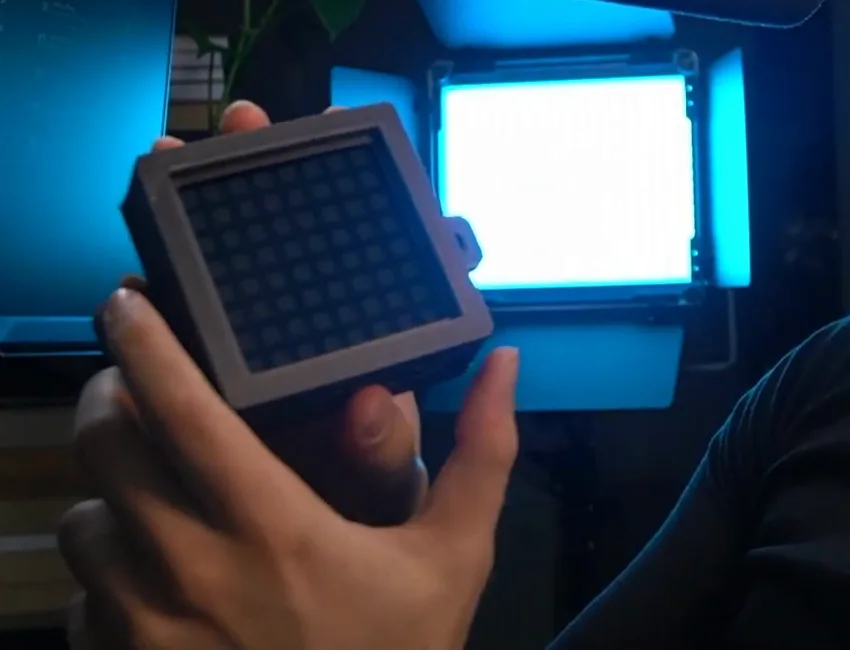
The reason this helps is peripheral vision. When you are deep in a braking zone, you are not looking at the centre of your screen — you are watching the corner. If your gear indicator is also in the centre of the screen, you will miss it. With the panels sitting at the edge of your field of view, a quick glance is all it takes.
I learned this the hard way during a Super Formula Lights race at Red Bull Ring. I had the white flag mapped to the panels but had not excluded it from overriding the gear display. On the final lap, the white flag covered the gear readout — I had no idea what gear I was in braking into the last corner, carried the wrong gear, and lost the race. I changed the config immediately after. The panels themselves are inexpensive, and SimHub is free.
6. Haptic Pedal Reactors (Rumble Strip Feedback)
These are small vibration motors — I use Simagic haptic reactors — mounted on my brake and throttle pedals. They vibrate based on car data fed through SimHub and give you physical feedback about what the car is doing.
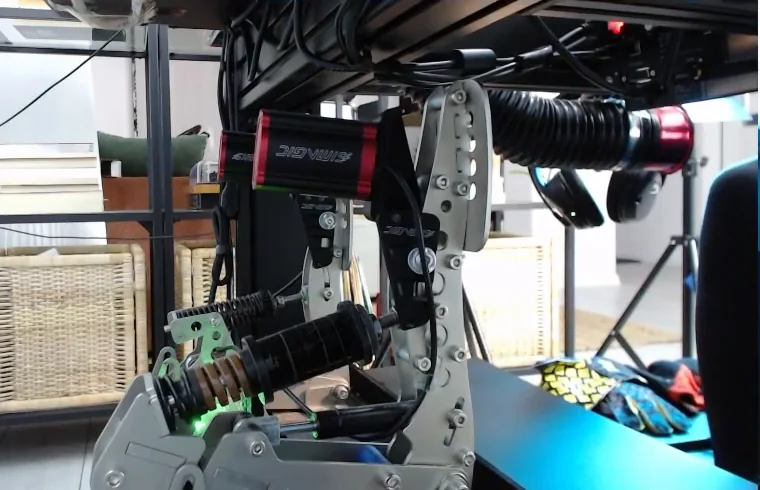
The most useful application for me in iRacing is ABS feel: when the anti-lock system kicks in, I feel it through my foot rather than having to watch a light. In other simulators, you can use tyre-slip data so the pedal buzzes when the rear steps out — which is almost like having rudimentary force feedback in your feet.
Once the performance basics are covered, the accessories actually worth adding to a finished rig is a different list — organisation, reliability and comfort rather than lap time. If you run Heusinkveld pedals, they bolt straight on without a 3D printed mount, and the effects I run on each pedal are in my SimHub settings. You do not need to buy the expensive version. There are budget kits available, and even the Simagic option comes in well under $100. In a hobby where a mid-range steering wheel costs several hundred dollars, sub-$100 for a genuine performance aid is cheap.
7. Head-Tracking Webcam
This one I discovered during a coaching session. A student was on a single small monitor and when he took a left-hander, the camera actually turned left with him — he was looking into the apex rather than staring straight ahead at the road disappearing off the edge of the screen.
He was doing it with a cheap webcam and free head-tracking software. The webcam reads your head movement; the software passes that data to the game; the in-game camera rotates to match. On a single screen, corners that were previously blind open up considerably.
How to Set Up Head Tracking on a Budget
- Get any USB webcam — you do not need anything fancy. A basic 720p webcam works.
- Download free head-tracking software — search for head-tracking software compatible with your simulator. Several free options exist.
- Mount the webcam above or below your monitor so it has a clear view of your face.
- Calibrate your centre position — set it so that when you look straight ahead, the in-game camera is also straight.
- Adjust the sensitivity so that a natural head turn into a corner gives you a useful camera rotation without overswinging.
8. Button Box
On a modern sim racing wheel, you might have twenty or more buttons available. The temptation is to fill every single one — enter/exit car, camera swap, pit limiter, content-capture triggers, everything. I did exactly this for a long time, and what it meant was that the buttons genuinely useful for driving — traction control adjustment, ABS setting, brake bias, anti-roll — either did not have a binding at all or were buried on a page I never found in the heat of a race.
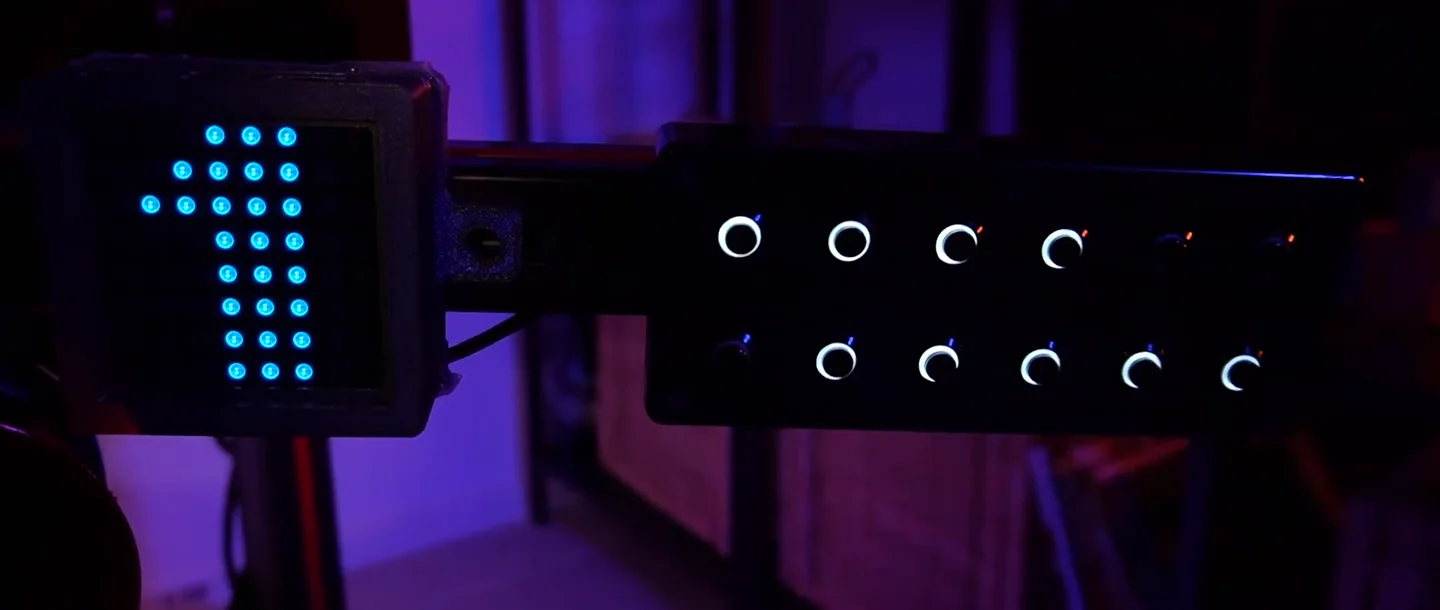
A basic button box, even a simple one with a handful of rotary dials and buttons, moves all the convenience functions off the wheel entirely. Suddenly every button on the wheel is a driving function. You can adjust your brake bias going into a hairpin without taking your eyes off the road. You can change traction control between corners. It is one of those changes that feels subtle but adds up over a full race distance.
9. Driving Gloves
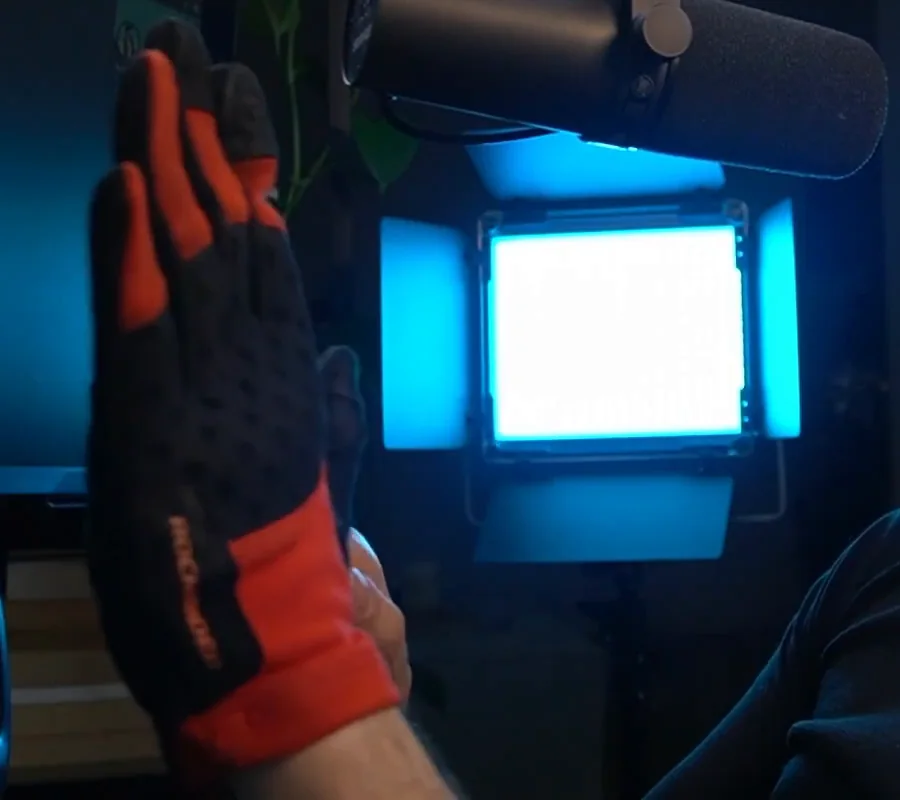
I will be honest: this sits in the "borderline bro science" territory and I will say so upfront. But I cannot drive comfortably without gloves, and I genuinely believe they help me.
After ten or fifteen minutes of driving bare-handed, my grip starts to feel uncertain — my hands sweat, the wheel feels slippery, and I am subconsciously thinking about my grip rather than the next braking point. With gloves on, that problem disappears. My current set is a pair of bike gloves that cost less than $10. I have had two identical pairs over roughly five or six years total. They are not racing gloves in any meaningful sense, but they work for me. If you have never tried gloves, it costs almost nothing to find out if they work for you too.
10. Thin, Lightweight Shoes
Same category as the gloves — and I will accept the same scepticism — but the difference in my pedal feel between the right shoes and the wrong ones is real and significant.
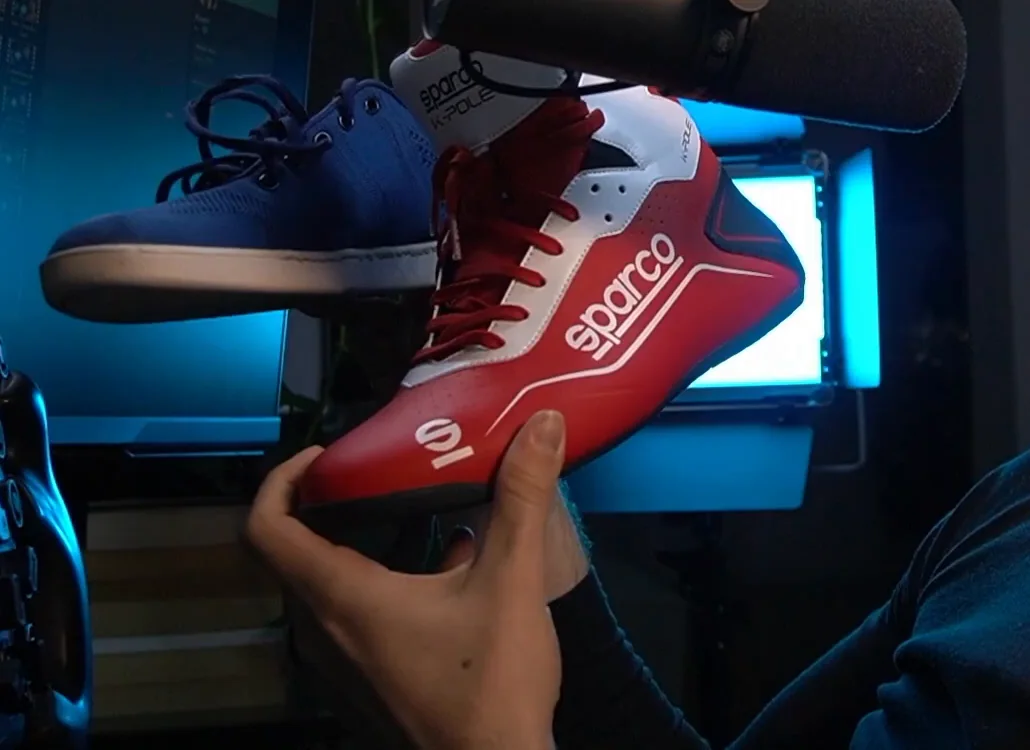
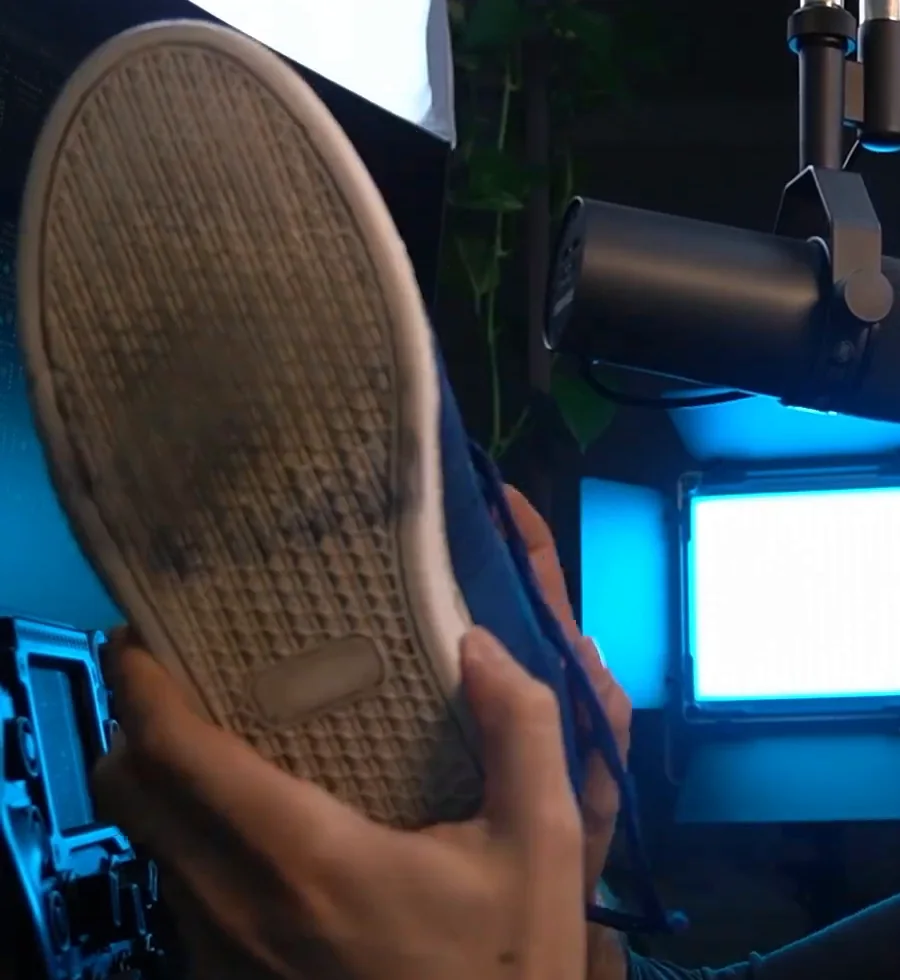
I have two pairs on my desk. One looks like proper racing footwear — branded, stiff sole, built for a real car. The other is a cheap pair of light flats that cost about $15. I drive with the $15 pair every single time. The soles are thin enough that I can feel exactly how much pressure I am putting through the pedal. The stiff-soled racing shoes felt like driving in ski boots by comparison.
There is a genuine caveat here: if you are on very soft entry-level pedals, shoes may actually reduce your feel versus bare feet. But if you are on stiffer pedals — especially a load-cell brake — a thin, light shoe can meaningfully improve your precision. My advice: try the lightest, thinnest-soled shoe you own before you buy anything, and see what the difference feels like.
Start With One, Not All Ten
You do not need to buy everything on this list at once. If I had to pick the two that will move your lap times most directly: metal brake springs and a heel raiser. They are both under $25 together, they both address consistency rather than comfort, and consistency is what wins races. And if the thing you are weighing is a bigger purchase rather than a cheap one, the sim racing upgrade order works out which category deserves it first. Try one this week — you will feel the difference within a single session.
Cheap sim racing upgrades FAQ
What are the best cheap sim racing upgrades for speed?
The cheapest upgrades that actually lower lap times target consistency, not raw power. Metal brake pedal springs replace the stock rubber bump-stop with a stable, repeatable feel, while a heel raiser keeps your leg planted so braking pressure stays precise over a long stint. Beyond those, Velcro seat pads, a wheelbase extender for better reach, and thin lightweight shoes all sharpen your inputs. Most cost roughly 10 to 25 dollars each and matter more than gear ten times the price.
Where should I spend money first on a sim racing rig?
Sort your pedals and seating position before anything else, because that is where lap time really comes from. Metal brake springs and a heel raiser cost under 25 dollars together and fix braking consistency, the single biggest variable for most drivers. A solid, repeatable body position from seat pads or a tighter mount comes next. A direct drive wheelbase and triple monitors are nice, but they sit far down the list until your braking feel is dialled in.
Are load cell pedals worth it for sim racing?
A load cell brake measures how hard you press rather than how far the pedal travels, so you brake by pressure like a real car. That makes your braking points far more repeatable once you adjust, which is why most fast drivers rate it highly. It is not the cheapest first move, though. A metal spring or elastomer mod on your existing pedals delivers much of the consistency for 10 to 20 dollars, so try that before spending on a load cell.
What cheap upgrades make a Logitech G29 or G920 faster?
The G29 and G920 respond well to the same low-cost fixes. A spring or brake mod for the pedals is the biggest single gain, since the stock brake is soft and progressive; search Etsy or your local marketplace for a kit made for your exact pedal set, usually 10 to 20 dollars. Add a heel raiser to plant your foot, Velcro seat pads for a stable position, and SimHub-driven haptic reactors for slip and ABS feedback. None of it needs a new wheelbase.
Do haptic pedal reactors help in iRacing and other sims?
Yes. Haptic pedal reactors are small vibration motors mounted on your brake and throttle, driven by car telemetry through SimHub. The most useful job in iRacing is ABS feel: when the anti-lock system engages you feel it through your foot instead of watching a dash light. In sims that expose tyre-slip data, the pedal can buzz as the rear steps out, giving almost rudimentary force feedback in your feet. Even brand-name kits come in well under 100 dollars.
Do gloves and racing shoes make you faster in sim racing?
They are comfort-and-feel upgrades rather than guaranteed speed, and it honestly depends on you. Gloves stop sweaty hands slipping on the rim after fifteen minutes, so you stop thinking about grip; cheap bike gloves under 10 dollars are plenty. Thin, lightweight shoes let you feel exactly how much pressure you put through a stiff or load-cell brake. The caveat: on very soft entry-level pedals, shoes can reduce feel versus bare feet, so test the lightest shoe you own first.
This guide is part of the free library at GitGud Racing Academy — an online sim racing academy built around weekly lap reviews, structured courses, drills and training tools.
Train this the right way
Reading is step one. Build it into muscle memory with structured, car-specific courses and personal lap reviews from a coach — inside the Academy.
Join the Academy · $39.99/mo incl. VATWatch the full video on YouTube