The Best Brake Pedal Settings for Sim Racing
Most sim racers assume that stiffer is always better when it comes to brake pedal settings. I believed the same thing — until I spent an entire month turning my rig into a testing lab. If you've been searching for the best brake pedal settings for sim racing and getting conflicting advice, this article is for you. I'll walk you through exactly what I tested, what the data showed, and what you should actually do with your pedals today.
I'm Marian, a sim racing coach and one of the top 1% of drivers on iRacing. What follows is not theory — it's the outcome of a structured experiment across three stiffness levels, three track-and-car combinations, and several weeks of progressive testing. The results surprised even me.
The Experiment: Three Brake Pedal Stiffness Settings
To keep the test rigorous, I set up three distinct brake pedal configurations and measured each against my own baseline lap times — times I had already set using my normal 80 kg setting on the same track-car combinations.
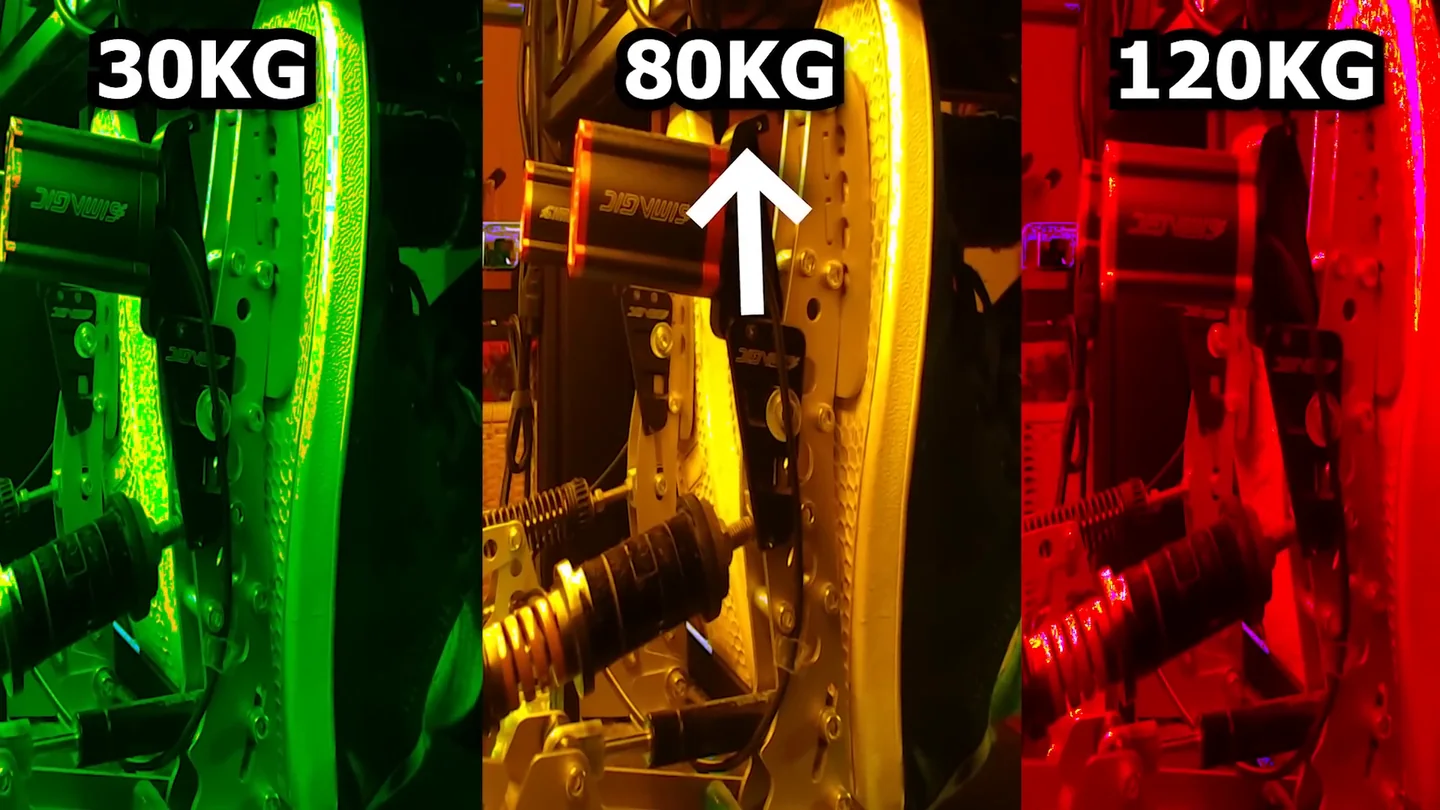
- Soft — 30 kg: Light as a feather. Easy initial pressure but with a very small margin for fine control.
- Medium — 80 kg: My usual setting. Friends who visit the rig struggle to press it, so I'm not starting from easy street.
- Stiff — 120 kg: Felt like stomping a rock into the floor. Real-world racers generate up to 160 kg of braking force — so this is getting into that territory.
My mission: beat my 80 kg baseline times using either the 30 kg or the 120 kg setting. Simple enough in theory. In practice, it got interesting fast.
What Happened With the Stiff 120 kg Setting
I started at Lime Rock with the 120 kg setting. The first problem was immediate: I could barely get past 60% of maximum pressure. Forcing myself to press harder broke my concentration — instead of modulating brake pressure, I was just fighting the pedal. After about an hour of sessions, my knee was done. Full stop.
Rather than quitting the experiment, I took a smarter approach. Over the next two weeks I progressively increased stiffness from 90 to 100 to 110 kg across my regular track guide recordings. That felt manageable. But looking at my telemetry, I spotted a consistent problem: I was bleeding brake pressure too quickly off the peak. At maximum force, my muscles naturally wanted to relax — and they were doing exactly that, slightly too soon. The result was a fractionally early release in heavy braking zones, costing time I couldn't easily feel in the moment.
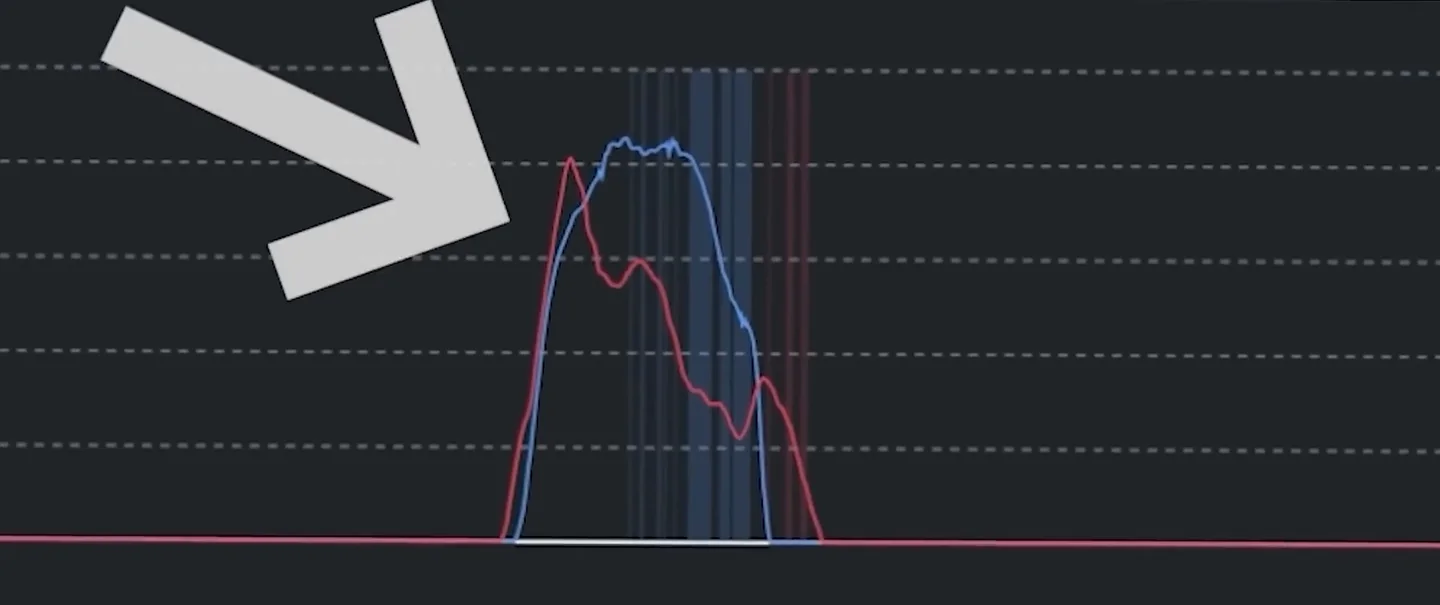
I even added isometric foot training to my gym routine to strengthen my left foot before attempting the final 120 kg jump. Did it help? Somewhat. But even with that preparation, the results on the 120 kg setting never beat my 80 kg baseline. The stiff pedal showed some potential in medium- and high-speed corners, but every time I needed more than 50% braking force, the fatigue-driven imprecision came back to hurt me.
What Happened With the Soft 30 kg Setting
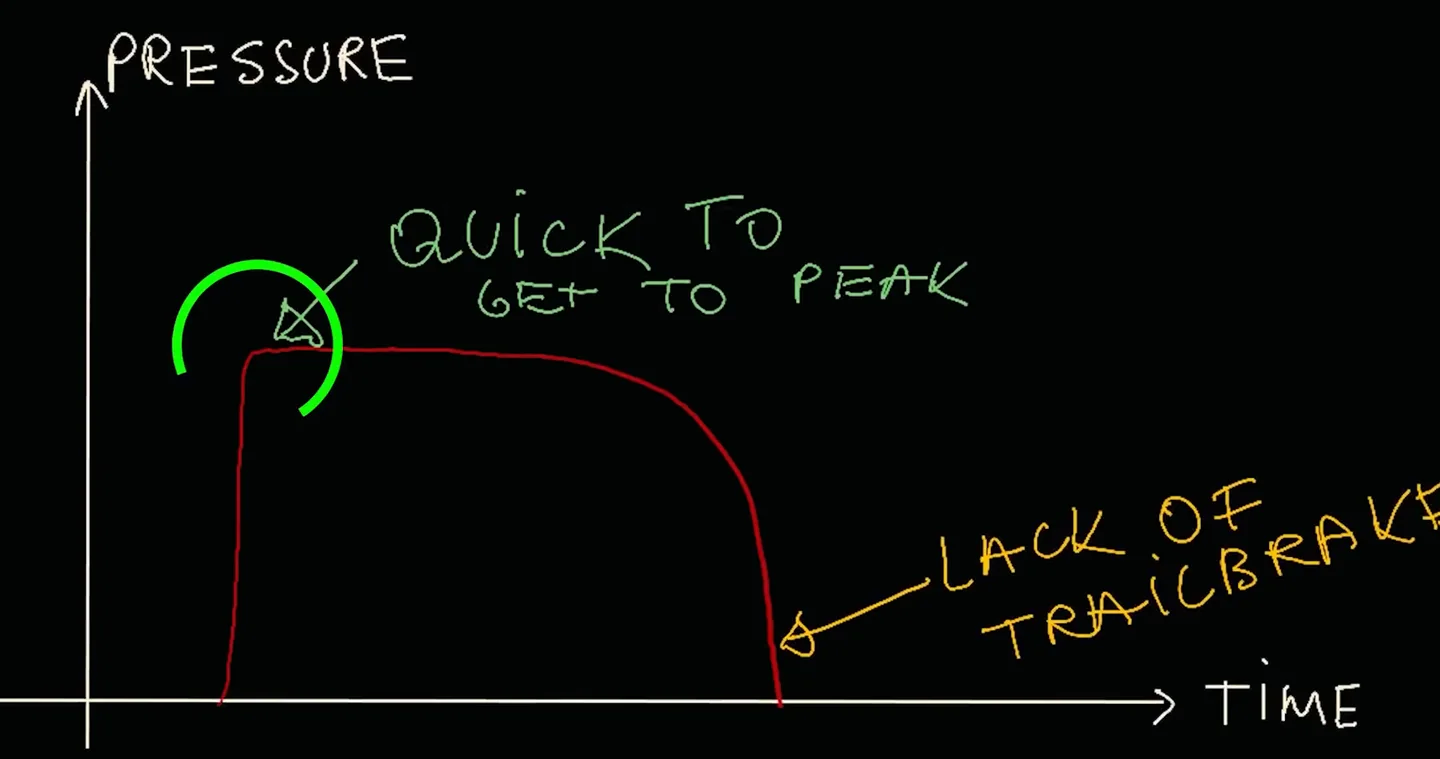
The soft pedal exposed different problems. The most immediate one: the moment I pressed the brakes, the tires screeched. I was instantly overshooting into the peak — the pedal offered so little resistance that I blew past the threshold before I could regulate the input. The second issue was that my brake shape collapsed to a single stage: I was slowing the car down hard and then that was it. There was no second stage left to use for weight transfer and rotation, which killed my ability to trail brake into the corner apex.
After a couple of days of adaptation, those issues improved. And there was one area where the soft pedal was genuinely impressive: initial brake response. I could build to peak pressure almost instantly — no delay, no ramp-up time spent just building force. That felt quick in a way that was hard to ignore.
The Real Winner: 60 kg — Softer Than My Baseline, Not the Softest
After seeing the potential in the soft setting without wanting to keep the problems of the 30 kg, I landed on 60 kg. Still below my usual 80 kg, but with more resistance than the extreme soft. The result genuinely surprised me.
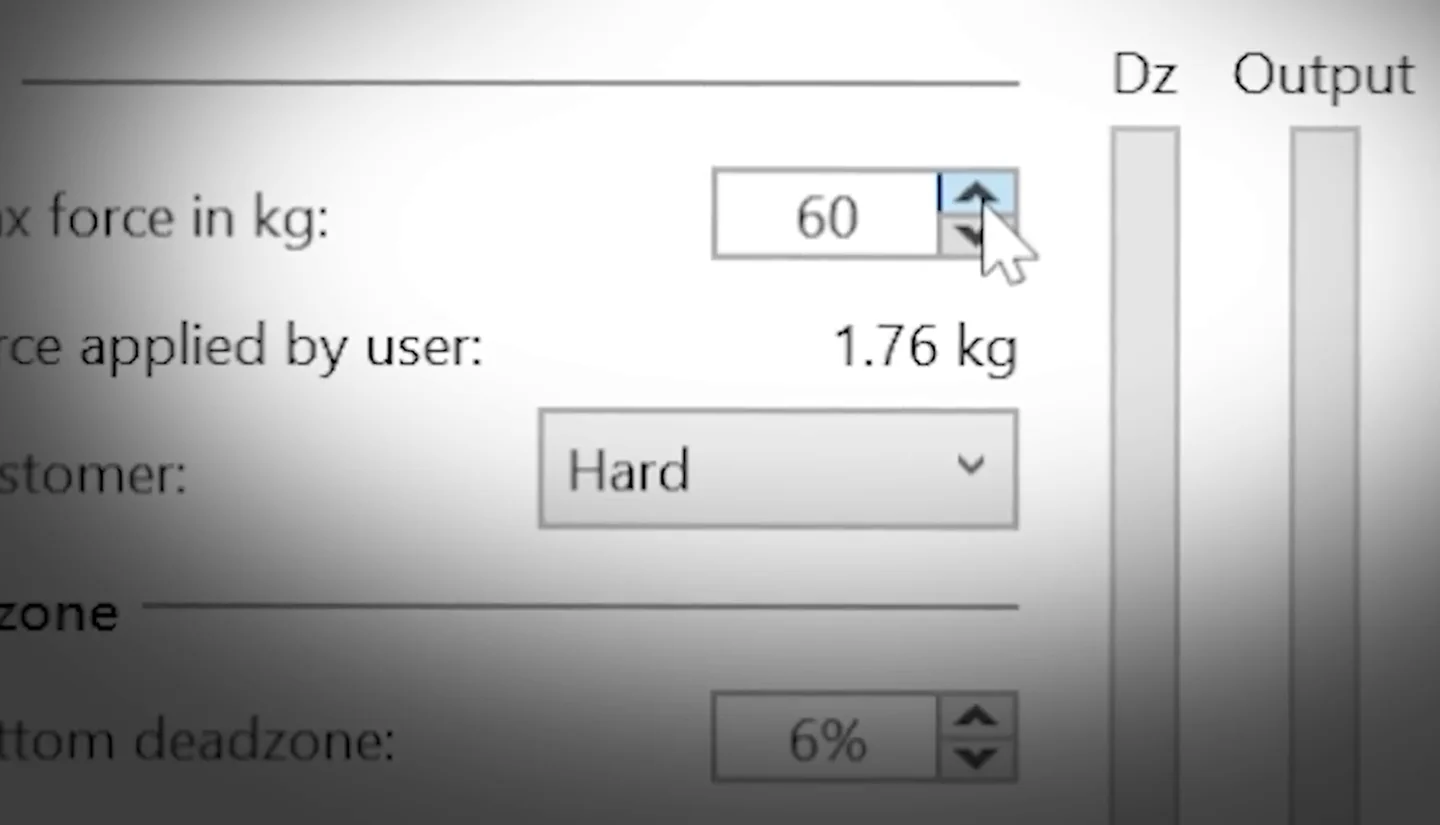
I beat all my previous records on every track-and-car combination tested. It didn't feel hard to do it — the pace came naturally from better driving, not more effort.
Here's the technical reason it worked. With a softer pedal I could hit peak braking pressure faster, which meant I spent less time holding peak pressure and could start trail braking earlier. The critical detail is in tire temperatures. The longer you hold peak brake pressure, the more heat you build in the tire surface, which destroys grip. By transitioning to trail braking sooner, the tires stayed cooler, grip stayed higher, and I carried more speed through the corner. If that release shape is the part you are unsure about, trail braking explained covers it properly.
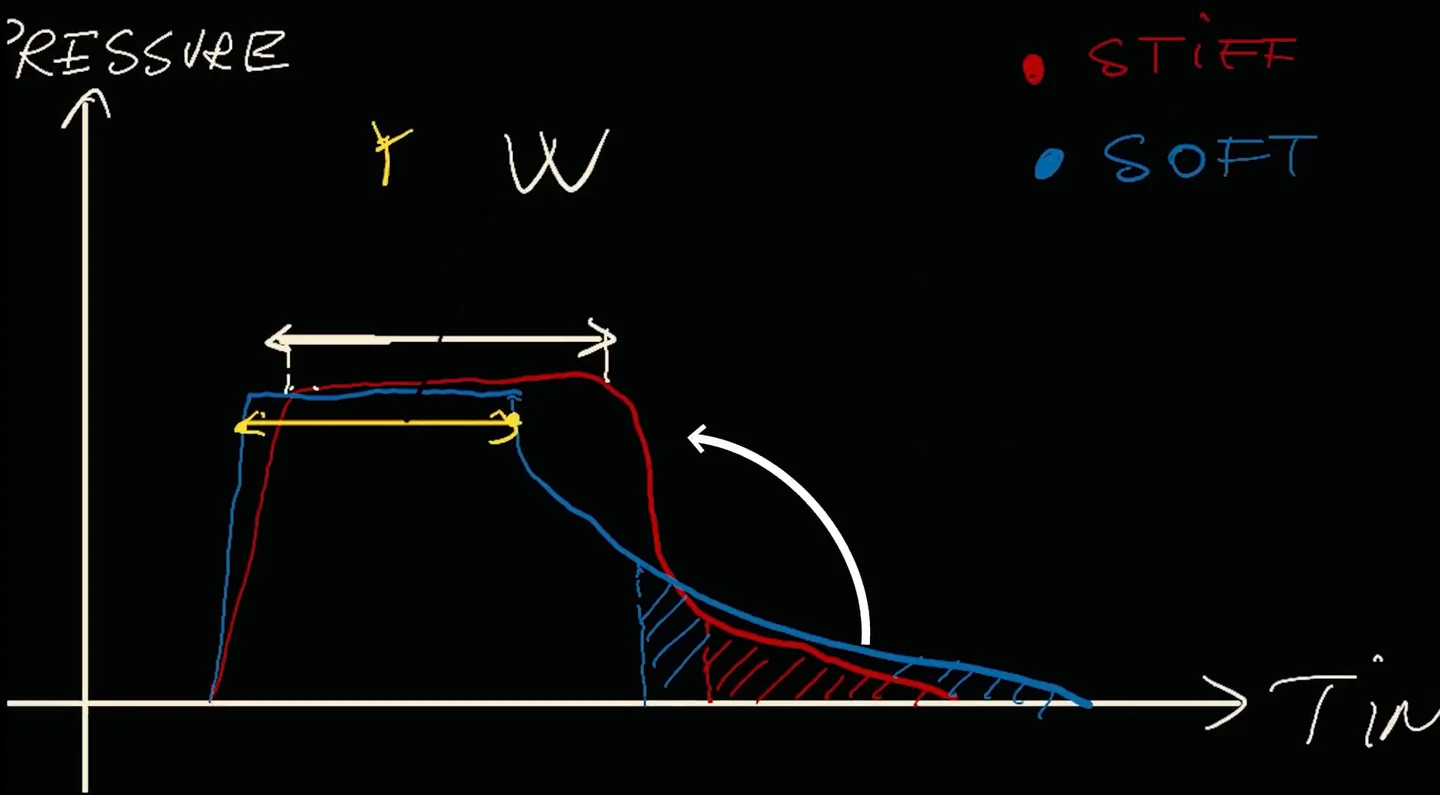
The important nuance: I wasn't consciously thinking about tire temperatures or brake shapes while driving. I was just trying to go as fast as possible. The technique improvement was a byproduct of the better-suited pedal setting. The setting changed my driving for the better without me forcing it.
Why Pedal Position Matters More Than Stiffness Alone
Brake force only does its job if the rest of the setup is already right — a pedal that shifts under load, a bad heel position or an uncalibrated dead zone will undo any stiffness figure you land on. If you have not been through those, start with the five brake pedal setup tips.
Before chasing a specific stiffness number, you need to maximize the biomechanical leverage your body can actually produce. Get this wrong and you'll artificially cap the force you can apply — and your ideal stiffness reading will be misleading.
The key target is a 90-degree angle between your lower leg and the pedal face when the pedal is at rest. This angle recruits your large leg muscles instead of the smaller stabilizer muscles that fatigue quickly. Not every rig allows an exact 90 degrees, so experiment in the 80–100 degree range and find what feels most controlled.
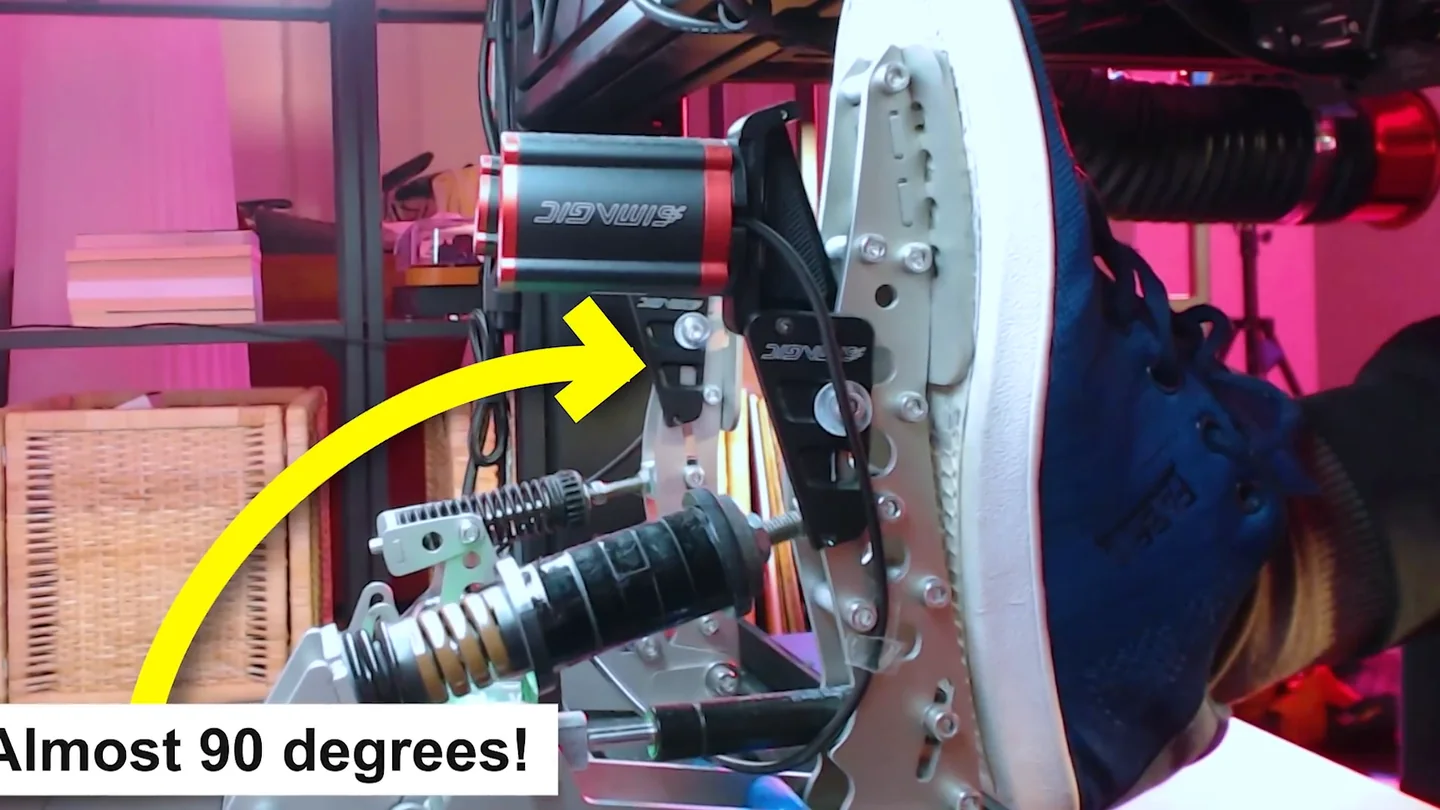
- Longer legs: A slightly less acute angle (closer to 100°) may give better leverage without overloading the knee.
- Shorter drivers: A slightly more acute angle (closer to 80°) tends to provide better mechanical advantage.
- Seat distance: Sitting too far back reduces leverage. Sitting too close strains the knee and kills brake modulation. Aim for a slight bend in the knee when the pedal is fully pressed — that's your control window.
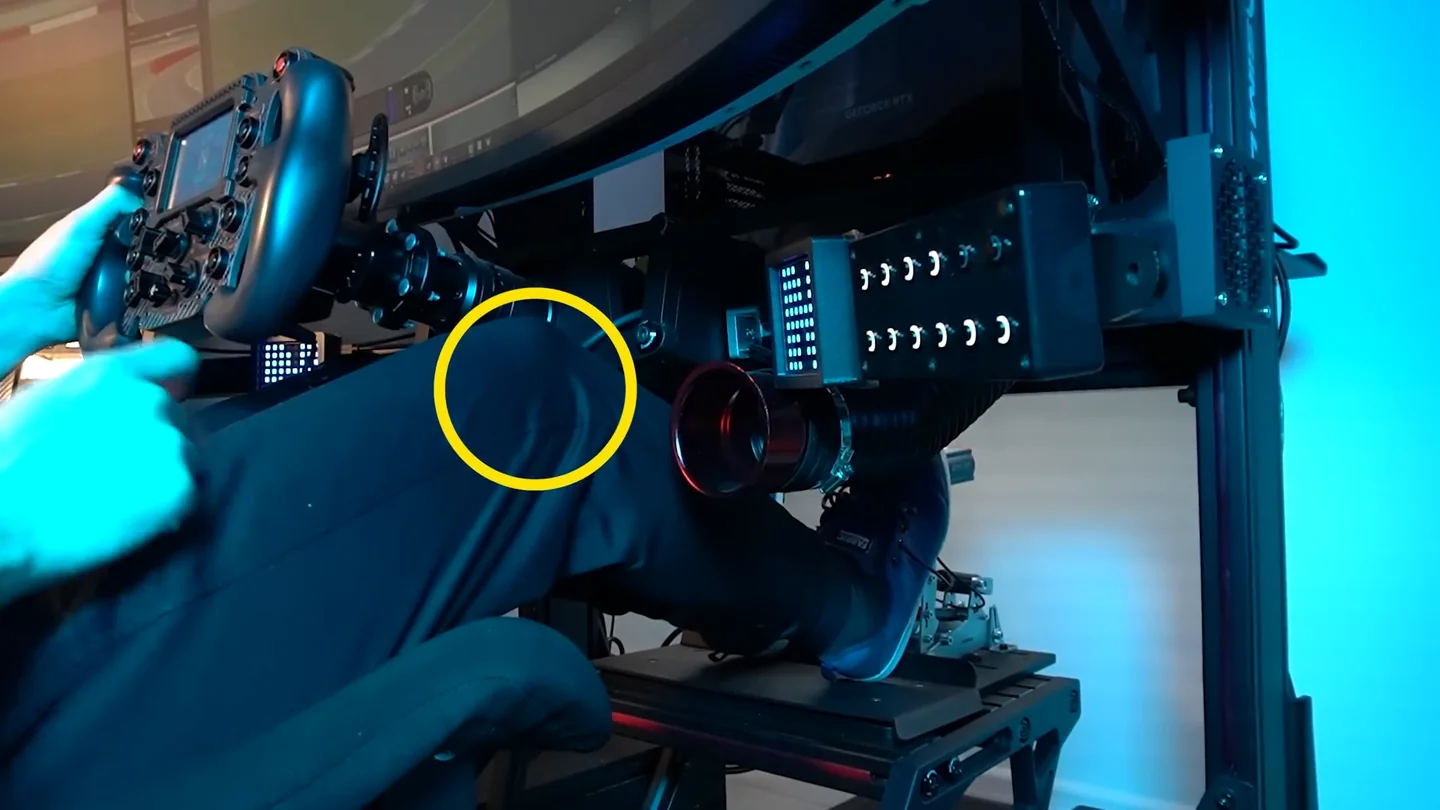
A fully extended leg is less precise and more fatiguing over a long session. When I started my experiment, my position was already dialed in correctly. That's why my "soft" 60 kg result would actually feel quite stiff to many drivers — my biomechanical setup was letting me work the pedal properly at that weight.
One caveat if you cross-check that figure elsewhere: the 90° above is measured with the pedal at rest, and most seating guides quote the same joint under full braking — where pressing the pedal opens the ankle, so the number reads higher. Both describe the same leg. The seating position checker works in the under-braking convention and states which frame every angle uses, so you are not reconciling two numbers by guesswork.
Entry-Level vs. Load Cell Pedals: Different Rules
The type of pedal you have changes the optimal strategy significantly.
If you're on entry-level potentiometer pedals — Logitech, Thrustmaster, and similar — making the pedal as stiff as possible is almost always the right call. The spring resistance gives you a physical reference point for pressure, which a loose, easy pedal can't provide. Also make sure your pedals are firmly fixed. When I started out without a rig, the pedals would slide or the chair would shift under braking. Even that small amount of movement made consistent braking nearly impossible. This is worth solving before anything else.
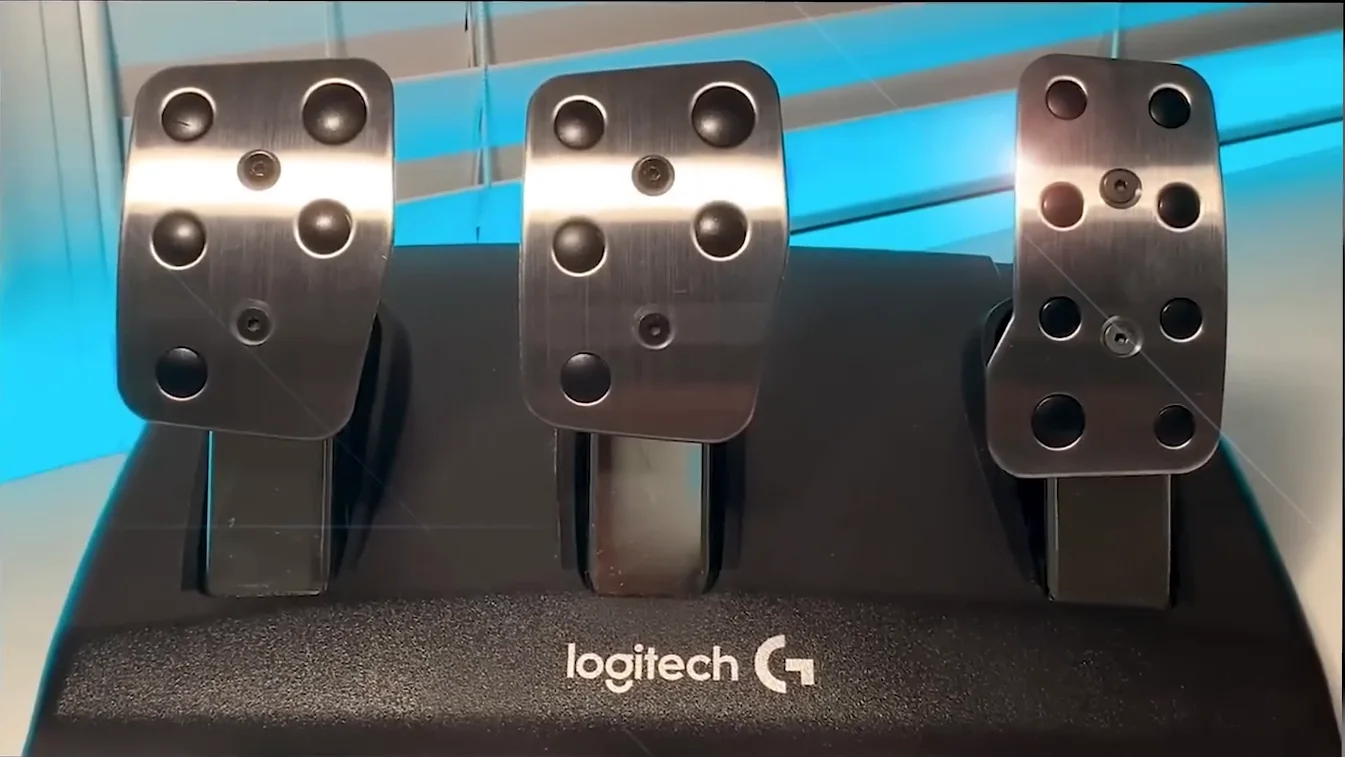
If your entry-level pedal has no adjustability, check the DIY market. Custom rubber inserts and spring modifications are inexpensive and can meaningfully improve the feel of a budget pedal.
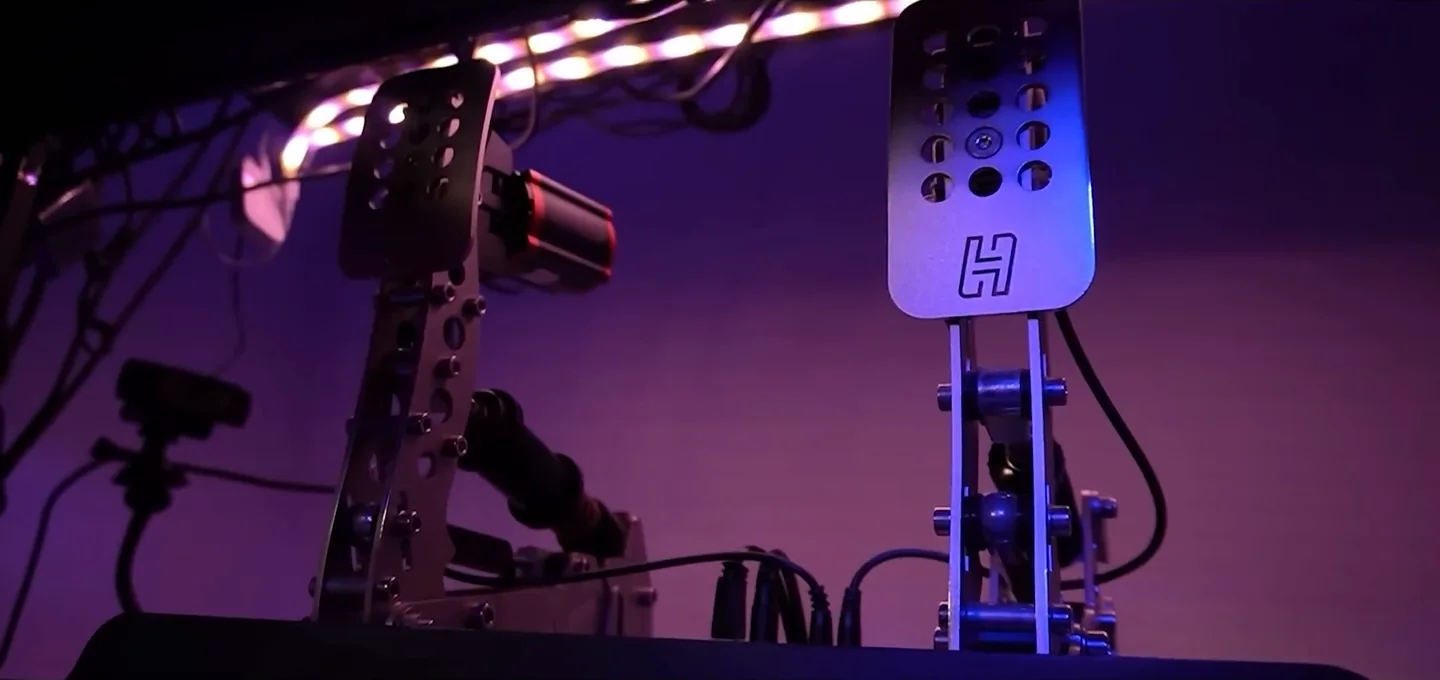
If you have load cell pedals mounted solidly in a rig, you have real options. I use Heusinkveld pedals tuned with a custom spring to create a two-stage brake feel — initial compliance followed by a firmer wall near peak pressure. That two-stage profile is what makes load cells so powerful for modulation.
"Solidly" matters more than it sounds. A load cell measures force, so if the pedal plate or the rig flexes under a hard stop, part of the press goes into bending the frame and the reading stops matching what your leg is doing. If your pedals still move when you stand on them, what to check before buying a cockpit covers the mounting a load cell needs. Disclosure: that is a partner page. It carries a 5% Sim-Lab code, and I may earn a commission if you buy through its link, at no extra cost to you.
How to Find Your Ideal Brake Stiffness Using Telemetry
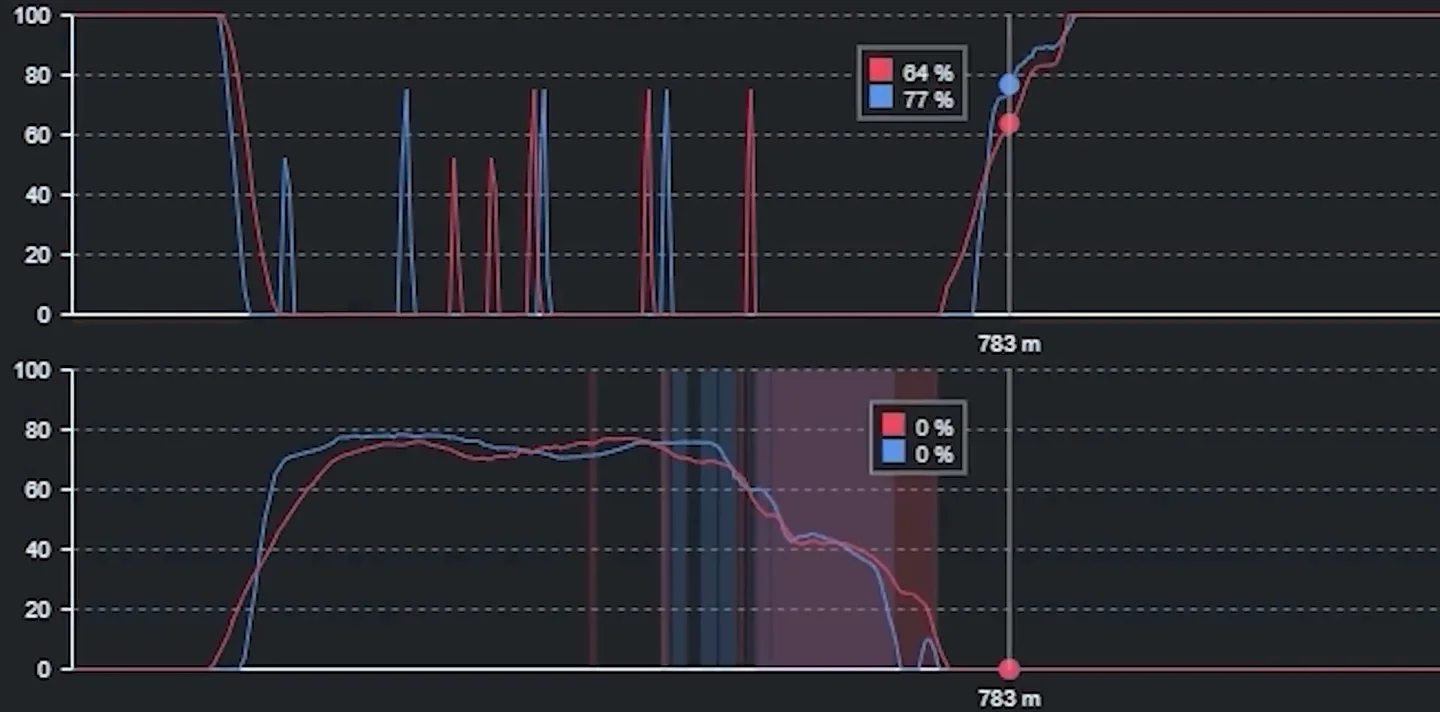
Telemetry-Based Brake Setting Audit
Use this process any time you adjust brake stiffness. You need a telemetry overlay (MoTeC, Sim Dashboard, or your sim's built-in trace) and a reference lap from a fast driver on the same combo.
- Record a clean lap at your current stiffness setting on a track you know well.
- Load both traces side by side — your lap and the reference lap. Focus on the brake channel.
- Identify which braking stage is costing you time:
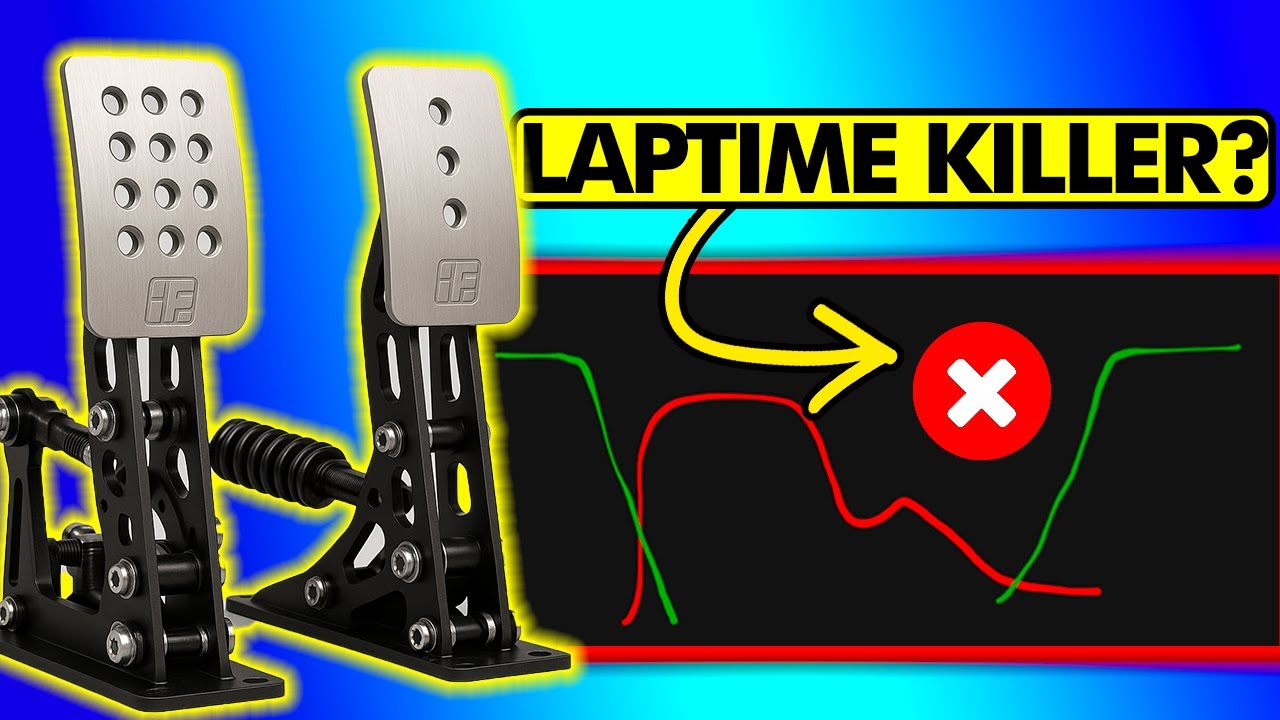
- Stage 1 (initial bite to peak pressure): Are you reaching peak pressure later than the reference? Your build-up is too slow — consider going softer.
- Stage 2 (trail braking from peak to release): Are you dropping pressure too fast or too early? This is often a sign the pedal is fighting your muscles at peak force — common with settings that are too stiff.
- If you're losing in both stages, prioritize fixing the one where the gap is larger first.
- Make one stiffness change at a time — no more than 10–15 kg — and repeat the telemetry comparison after a proper acclimatization period, not just a handful of laps.
The Real-World Racing Context: Why G-Forces Change Everything
Here's something that puts the whole stiffness debate in context: in a real race car, the driver's body is being thrown forward under braking. That forward momentum helps push the foot into the pedal, effectively adding force without extra muscle effort. That physical feedback loop doesn't exist in sim racing. You're sitting still. You are generating 100% of that force from a seated, stationary position, with no momentum helping you.
This is why the 160 kg braking force of a professional driver does not translate into sim racing. The conditions are fundamentally different. Stiffer settings aren't automatically better — they're a carry-over assumption from real racing that doesn't hold up when you remove the G-force assist. After all my testing, I'm confident that very few sim racers can actually make ultra-stiff braking work consistently, and most are leaving time on the table by chasing a number rather than testing what produces the fastest lap.
Best brake pedal settings for iRacing
iRacing is the one sim where the pedal setting most people get wrong is not stiffness at all — it is Brake Force Factor, and the right value depends entirely on which kind of pedal you own.
- Load cell pedals — set Brake Force Factor to 0.00. A load cell already measures the force you apply, so any additional curve is the sim second-guessing hardware that is already reading you correctly. This is the single most common misconfiguration on good pedals.
- Potentiometer pedals (Logitech G29, Thrustmaster T-series and similar) — somewhere around 1.60 to 2.00. These measure travel rather than force, so without a curve the top of the pedal is unusably sensitive and the bottom does almost nothing.
That difference is why copying another driver's iRacing brake settings so often makes things worse: the number is meaningless without knowing what it is compensating for. A load cell owner running 2.00 has effectively asked the sim to exaggerate every input they make.
Once the factor is right, the stiffness findings above apply as normal — and on a load cell, the physical stiffness of the pedal is doing the job the curve used to do. That is the whole reason the 60 kg setting outperformed 120 kg in this test: enough resistance to be repeatable, not so much that modulating pressure needs deliberate effort.
Summary: What to Actually Do With Your Brake Settings
- Fix your pedal position first — target a 90-degree knee angle with a slight bend at full press.
- If you're on entry-level pedals, prioritize stiffness and firm mounting above all else.
- If you're on load cells with a proper rig, your baseline probably doesn't need to be as stiff as you think.
- Use telemetry to diagnose whether you're losing time in Stage 1 (build-up) or Stage 2 (trail braking), then adjust stiffness in the direction that fixes the bigger gap.
- Let your lap times — not how the pedal feels — be the final judge.
The pedal setting that makes you faster might not be the one that feels most impressive. Run the test, check the telemetry, and trust the data. Small changes in the right direction compound into real lap time — and that's what this is all about.
Settings can only work with the hardware underneath them, and there is a point where a stock pedal is genuinely the ceiling. Working out whether you are at it — and whether the pedal is even the right thing to replace next — is what the sim racing upgrade order is for.
Once the hardware is right, the remaining time is in what your foot does with it. The braking chapters of the course library take that from maximum pressure through to release shape and trail braking, one lesson and one drill at a time.
If you would rather have someone check it with you, a 1-on-1 coaching session can cover the pedal settings and the technique together, with a coach watching your brake trace while you drive.
Brake pedal settings FAQ
What is the difference between load cell and potentiometer brake pedals?
A potentiometer pedal measures travel, so braking depends on how far the pedal moves. A load cell measures force, so braking depends on how hard you push regardless of travel. Force matches a real brake far more closely, which is why load cells give cleaner modulation and easier trail braking. Most potentiometer pedals ship on entry-level sets like the Logitech G29 or Thrustmaster T-series, while load cells appear on mid-range and higher pedals.
What is the best brake force setting for load cell sim racing pedals?
There is no single number, because the right force depends on your seating position and how solidly the pedals are mounted. Counterintuitively, softer often wins: a setting that lets you reach peak pressure quickly so you can start trail braking sooner and keep tire temperatures down. Most drivers calibrate maximum force somewhere around 50 to 80 kg. Set pedal position first, aiming for roughly a 90-degree knee angle, then adjust in 10 to 15 kg steps using telemetry.
Why does my sim racing brake lock up as soon as I touch the pedal?
Early lockup usually means your input ramps to peak pressure too fast and overshoots the grip threshold before you can regulate it. This is common with very soft pedals that offer little resistance, so you blow past the peak instantly. Either add stiffness so the spring gives you a physical pressure reference, or lower the brake force or curve value in your sim so the same push produces less braking. Also confirm the pedals are bolted down solidly.
How do I set up brake pedal settings on a Logitech G29 or entry-level pedals?
On entry-level potentiometer pedals like the G29, making the brake as stiff as possible is almost always right, because the spring resistance gives you a physical reference for pressure that a loose pedal cannot. Just as important, fix the pedals and seat firmly so nothing slides under braking, since even small movement makes consistency nearly impossible. If the pedal has no adjustment, inexpensive DIY rubber inserts and spring mods can meaningfully improve the feel.
What should I set Brake Force Factor to in iRacing?
Brake Force Factor lives in Options then Drive and shapes how pedal input maps to in-sim braking. For load cell pedals, set it to 0 so iRacing applies no extra curve and your force input stays linear. For potentiometer pedals that work on travel, the usual range is roughly 1.6 to 2.0, with 1.8 a common starting point. The calibration assistant asks whether your brake is load cell based and adjusts accordingly, so answer that prompt honestly.
How do I use telemetry to find my ideal brake pressure setting?
Record a clean lap at your current setting on a track you know, then load it beside a fast reference lap and study the brake channel. If you reach peak pressure later than the reference, your build-up is too slow, so try going softer. If you drop pressure too early off the peak, the pedal is likely fighting your muscles at maximum force, a sign it is too stiff. Change stiffness one step at a time, no more than 10 to 15 kg.
This guide is part of the free library at GitGud Racing Academy — an online sim racing academy built around weekly lap reviews, structured courses, drills and training tools.
Train this the right way
Reading is step one. Build it into muscle memory with structured, car-specific courses and personal lap reviews from a coach — inside the Academy.
Join the Academy · $39.99/mo incl. VATWatch the full video on YouTube