Best Sim Racing Accessories: 9 Rig Upgrades I Actually Use
These are the accessories that are still on my rig. Not a research list, not a sponsored one — things I bought with my own money over several years, kept using, and in a couple of cases genuinely would not race without now. A few of them fixed real problems. One of them is pure decoration and I will say so when we get to it.
The important thing about a list like this is that the items do not do the same job. A grounding cable and a nameplate are both "accessories" and comparing them is meaningless, so each one below is labelled with what it is actually for — ergonomics, reliability, safety, organisation, immersion or looks — along with who should skip it.
| Accessory | What it solves | Category | Rough cost |
|---|---|---|---|
| Grounding cable | Missed shifts, flickering displays | Reliability | ~$10 |
| Emergency stop | Killing a strong wheelbase instantly | Safety | Low |
| Wheel extender | Can't get seat, pedals and wheel all right | Ergonomics | $40–50 |
| Stream Deck | Launching everything, controls at the rig | Convenience | ~$100 or less used |
| Profile cable clips | Cables everywhere | Organisation | Very low |
| PC shelf | PC on the floor, cables underfoot | Organisation | DIY or bought |
| Wind simulator | Heat, and immersion | Immersion | $120–165 |
| VR facial interface | Tight headset field of view | Immersion | $20–25 |
| Nameplate | Nothing. It looks good. | Looks | Low |
1. A grounding cable, for missed shifts and flickering displays
Category: reliability. Cost: about $10.
This is the one I would tell everybody to know about, because the symptom looks like a broken wheel and the fix costs almost nothing.
I bought a nice steering wheel a couple of years ago and it had two odd faults. Sometimes an upshift or downshift simply would not register. Sometimes the LCD display blinked for no reason. Neither followed any pattern I could find, and nothing about it looked like a wiring fault.
It was EMI — electromagnetic interference between the wheelbase, the wheel and the PC. Unwanted signal, in other words. A sim rig is an unusually dense cluster of electronics sitting very close together, so the odds of picking this up are higher for us than for most people.
The fix was a grounding cable: one end on the metal of the wheelbase, the other on the metal of the PC case. Around ten dollars, and the problem stopped.
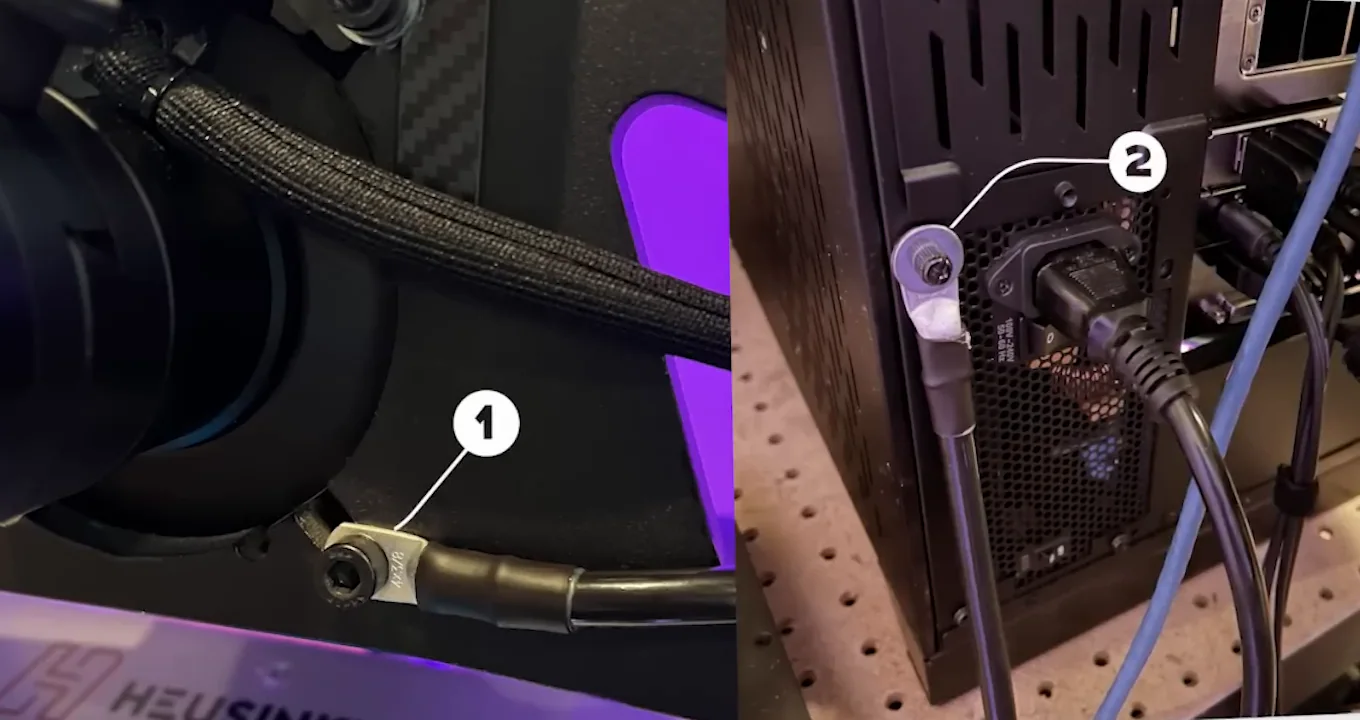
Who should get one: anyone seeing intermittent, unexplained input or display faults. Who should not: nobody, really — at this price I would treat it as standard equipment. One honest caveat: not every USB problem is interference. A cable that has come loose, a failing hub or a software conflict will produce similar symptoms, so rule those out before assuming EMI.
2. An emergency stop for a direct-drive wheelbase
Category: safety.
Modern wheelbases are strong. It is hard to buy one under about 5 Nm now, and plenty are far beyond that. Having a way to cut the force feedback and the wheelbase signal instantly, without reaching for a keyboard or a power switch, is worth having on a direct-drive cockpit.
If your wheelbase supports an emergency-stop button, mount it somewhere you can hit without looking. That is the whole recommendation — no drama required, it is just sensible on hardware that can genuinely hurt a wrist.
3. A wheel extender, if you cannot get your position right
Category: ergonomics. Cost: $40–50.
This solved a problem I had spent a long time failing to solve by adjusting the rig.
I want to sit close to the monitor for a wider field of view. But moving the seat forward puts the pedals wrong. Fix the pedals and the wheel is suddenly too far away or too close. I could reliably get two of the three right and never all three.
A wheel extender brought the wheel closer to my chest without moving anything else, and the position problem disappeared immediately. Two years later it is still on the rig.
Who should get one: anybody stuck in that two-out-of-three trap. Who should skip it: anybody whose position is already right — this fixes a problem rather than improving on a good setup. Before buying anything, though, it is worth checking your seating distance is actually correct: the FOV calculator gives you the number for your screen and distance, and if you are still choosing displays the monitor comparison covers that decision.
4. A Stream Deck — and how it compares to a button box
Category: convenience. Cost: around $100, less secondhand.
I press one button and everything opens: iRacing, my wheelbase software, my pedal software, RaceLab, Crew Chief. That is the simple version, and it is already worth it. You can build far more complicated automation than that if you want to.
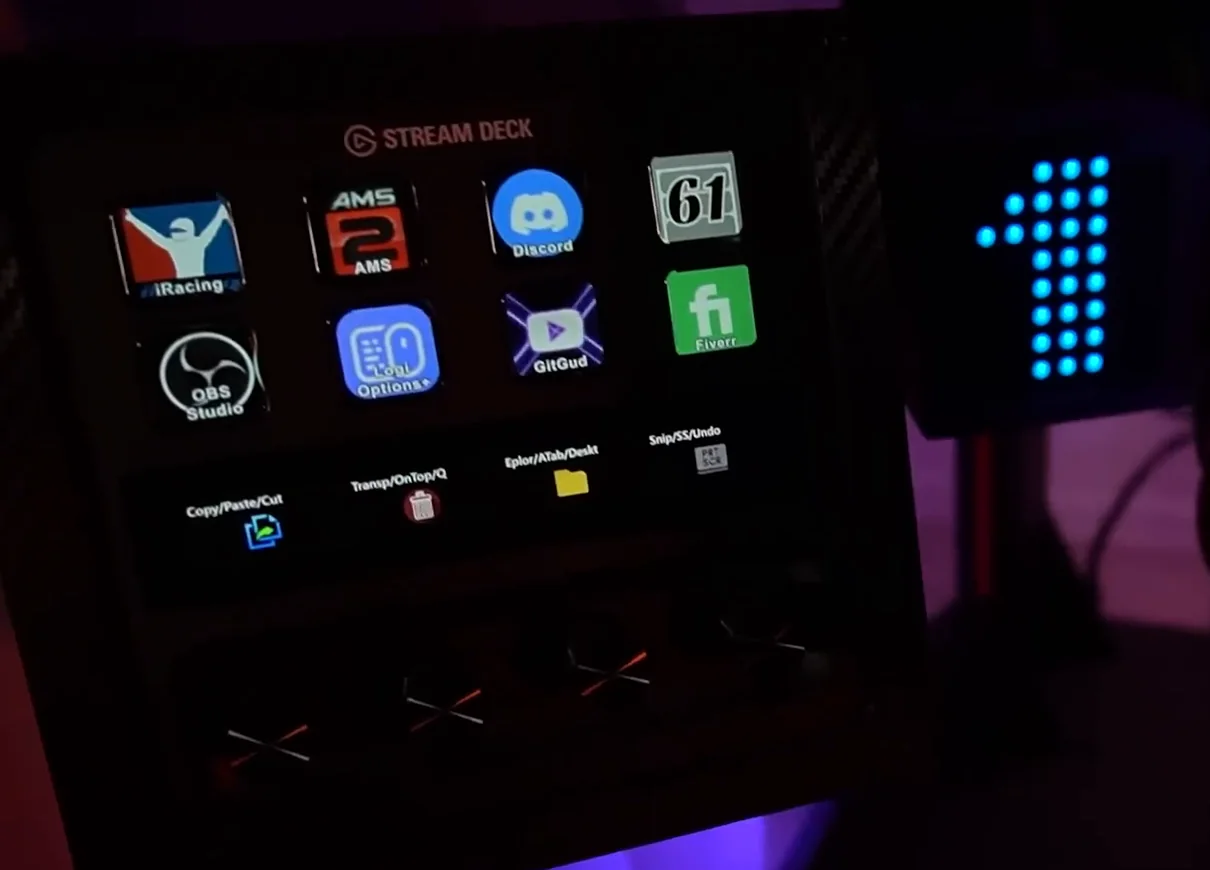
The bigger point is that when you are sitting in the rig, reaching for a mouse and keyboard is genuinely awkward. A Stream Deck lets you skip that for most of what you actually need.
I would not say it is objectively better than a button box, because they are not quite the same tool:
- Stream Deck — changeable icons, folders and pages, launching software, macros, and it is useful outside sim racing entirely.
- Button box — physical switches and rotary encoders you can find by feel, without looking away from the road. Better for things you change during a race.
For my rig I prefer the Stream Deck, because it does much more than duplicate controls that are already on my wheel. If what you need is blind, tactile adjustment mid-race, a button box is the better answer.
5. Cable clips for aluminium profile
Category: organisation. Cost: almost nothing.
Small plastic clips that guide cables into the grooves of an 8020 or aluminium-profile rig. That is all they are, and they cost so little that there is no reason not to have them.
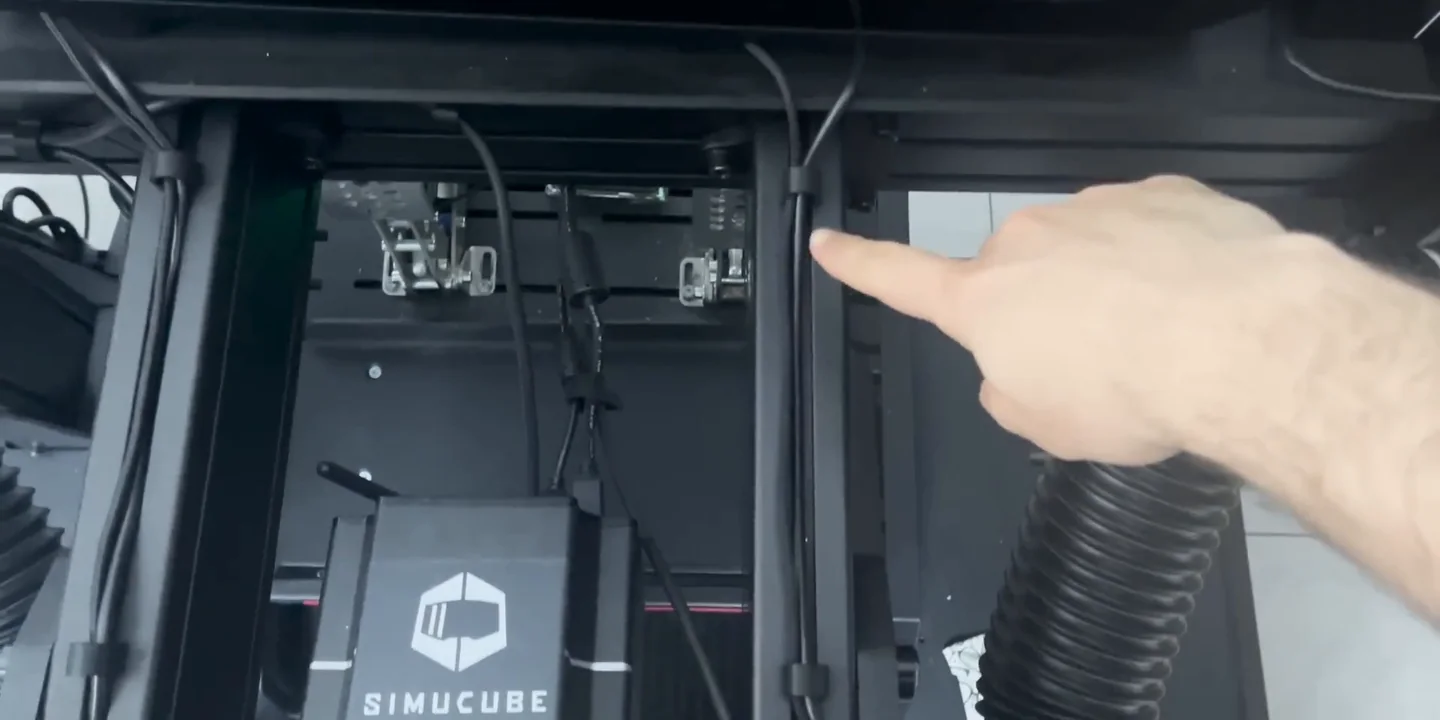
If your cockpit is built from aluminium profile, the T-slots are already there — the clips just let you use them to hide cable runs without modifying the chassis. It is the cheapest thing on this list and it makes the biggest visual difference per pound spent.
Worth knowing if you are still choosing a frame: that T-slot is an industry standard rather than a brand feature, so 40-series parts from anywhere fit a 40-series chassis from anyone. I race on a Sim-Lab P1X, and my Sim-Lab discount code page has a 5% code on it plus what I would check before ordering one.
6. A PC shelf on the rig itself
Category: organisation.
Moving the PC onto the rig rather than the floor does several things at once:
- Cable management gets far easier, because the PC becomes a hub at the centre of the rig and everything runs to one place.
- No cables run under the rig where your feet are.
- It collects noticeably less dust than it does on the floor.
- You can actually clean the room — a robot vacuum can get under everything.
- Mounted behind the rig, you do not have to look at it.
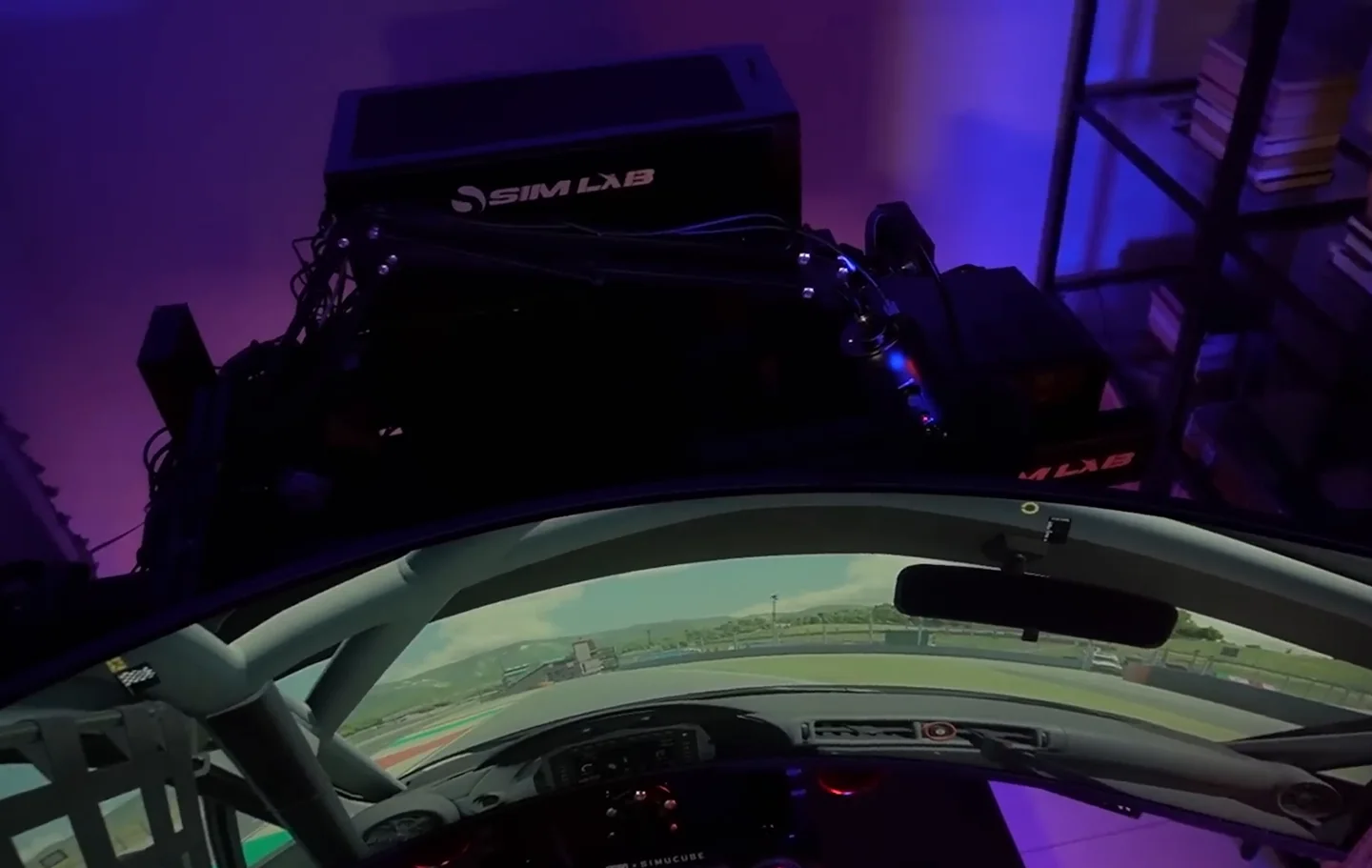
You do not need to buy a purpose-made one. A metal frame attached to the profile does the job perfectly well if you are willing to make it.
7. A wind simulator
Category: immersion. Cost: $120–165.
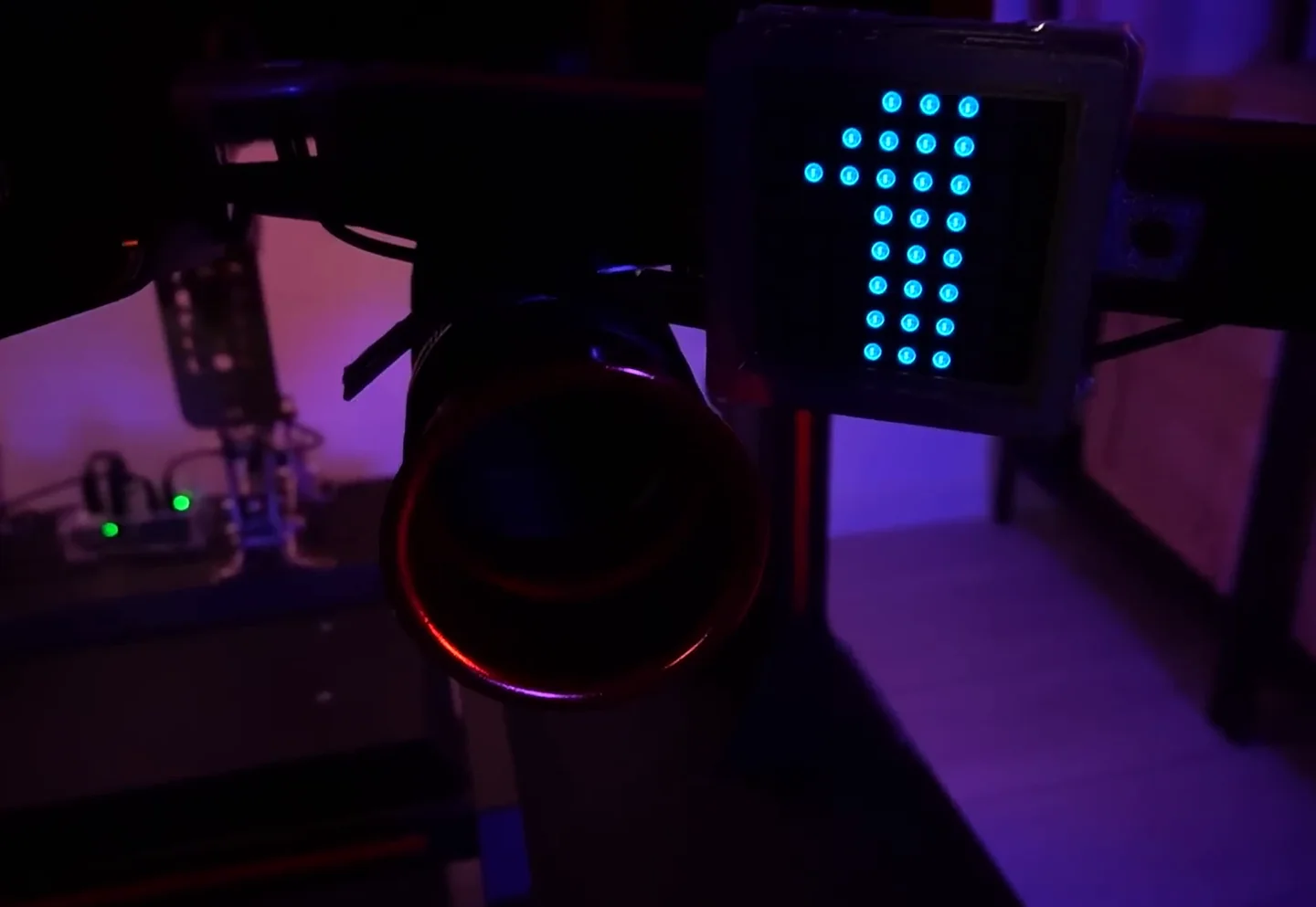
Over the budget the rest of this list sits in, and I will be straight about what it does: it keeps you cool and it looks great. It will not make you faster.
It runs off telemetry, so the fans strengthen as the car accelerates and drop away as you brake — going from 200 km/h down to 50 is something you feel. Through summer it has genuinely replaced air conditioning in my room.
Two practical notes if you fit one. Do not mount the vents low on the rig, because they pick up far more dust down there and then blow it straight at you. And clean them every week or two so the air stays fresh.
Who should skip it: anyone optimising lap time per pound. This is comfort and atmosphere, and that is a perfectly good reason to buy something — just not a performance one.
8. A slimmer VR facial interface
Category: immersion. Cost: $20–25.
I raced in VR for a long time, on an HP Reverb G2. Good headset, no longer supported, and its one real weakness was a tight field of view.
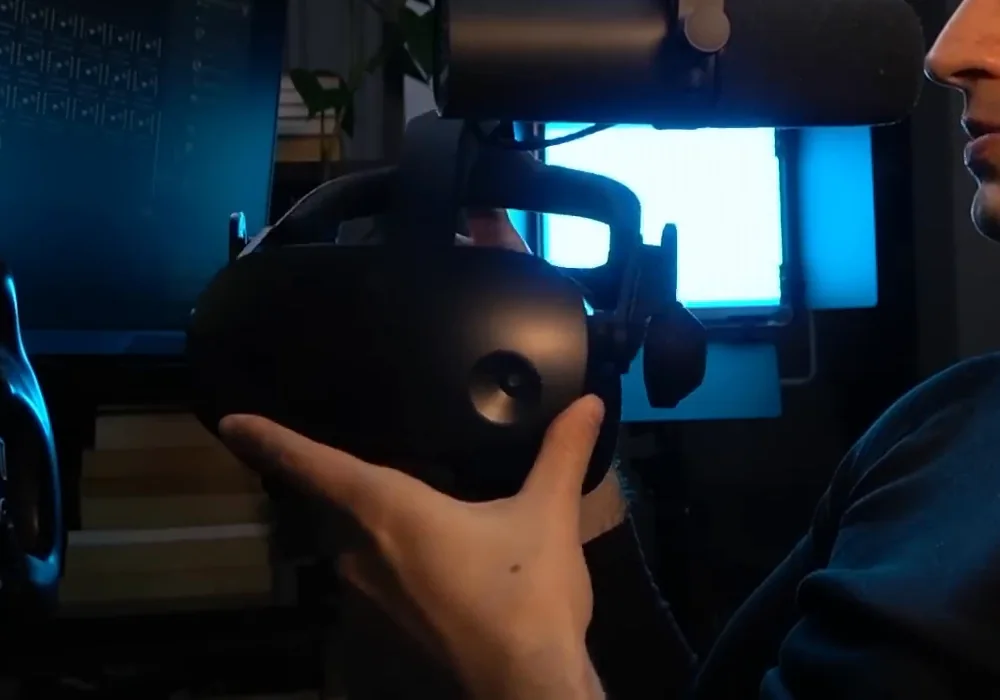
Swapping the standard face mask for a much slimmer aftermarket one puts your eyes closer to the lenses, which buys you several degrees of extra field of view. It worked — but it also puts more strain on your eyes, so I would not use it for endurance racing. For shorter races it was a clear improvement.
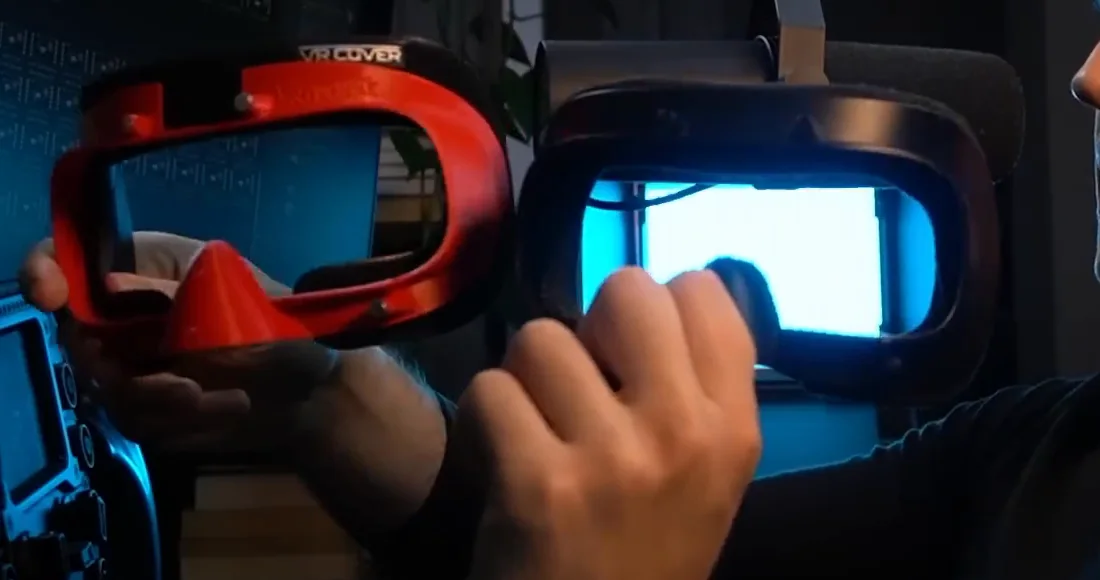
If you are in VR and the field of view frustrates you, a thinner facial interface for your specific headset is worth looking for. Just weigh the eye strain against the gain.
9. A personalised nameplate
Category: looks. Cost: low.
Mine has my name and my country flag, connects over USB, and has RGB behind it so you can pick the colour.
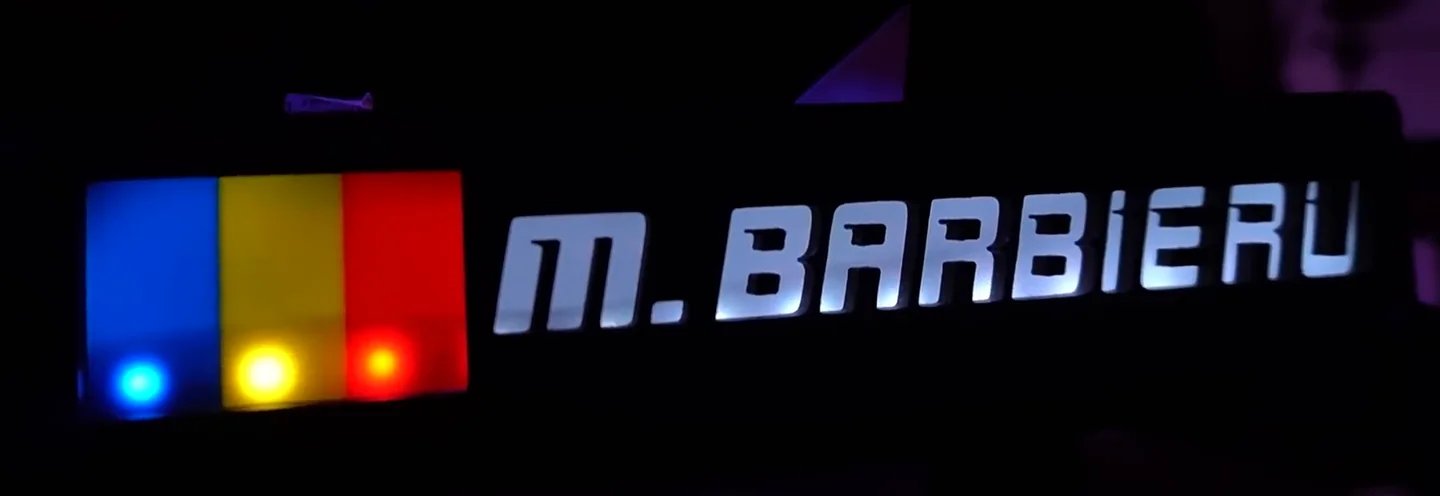
Will it make you faster? No. I cannot even see it while I am driving — it sits off to my right, out of view. But when friends come over and use the rig, it is the thing they notice first, and it makes the rig feel like mine rather than a generic frame with hardware bolted to it.
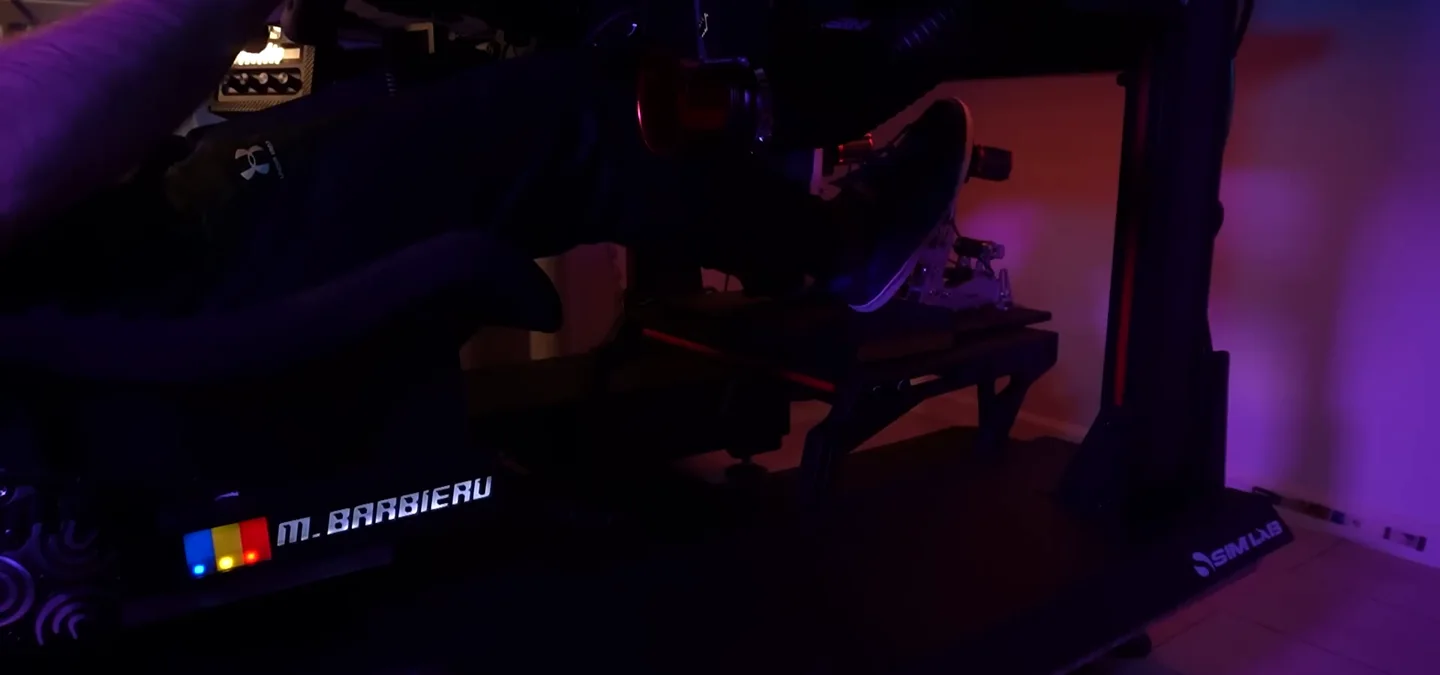
That is a real reason to own something. It is just not a performance reason, and lists like this usually pretend otherwise.
What I would buy first
If you are working through this in order of what actually changes your racing:
- The grounding cable, if you have any unexplained input or display weirdness. Ten dollars to fix something that feels like a broken wheel.
- The emergency stop, if you run direct drive.
- The wheel extender, if you cannot get seat, pedals and wheel right at the same time.
- The cable clips, because they cost almost nothing.
Everything after that is comfort, convenience and looks — worth having, but be honest with yourself about which category you are buying from.
None of this is what makes you quick, and I would rather say that plainly than sell you a rig upgrade as a lap-time upgrade. If it is pace you are after, the cheap changes that genuinely move it are in cheap sim racing upgrades that make you faster, and the free one almost everybody has wrong is your field of view. If you are still deciding which part of the rig deserves the money first, the sim racing upgrade order starts from the limitation you actually have rather than from the accessory shelf. If you would rather find out what is actually costing you time before buying anything at all, that is what the GitGud Racing Academy does — send a lap and a coach tells you where it is going.
Sim racing accessories FAQ
What sim racing accessory should I buy first?
Fix an actual problem before buying anything for immersion. If a strong direct-drive wheelbase could hurt you, an emergency stop comes first. If you get missed shifts or flickering displays, a grounding cable costs around ten dollars and solves it. If you cannot get seat, pedals and wheel into a comfortable position together, a wheel extender is the fix. Cable clips and a PC shelf are next because they are cheap and permanent. Everything else can wait.
Why does my sim rig miss shifts or flicker displays?
Most often electrical noise rather than a broken part. A metal rig covered in USB devices, a powerful wheelbase and several screens can build up interference that shows up as dropped shift inputs, flickering panels or a small shock when you touch the frame. A grounding cable running from the rig frame to a proper earth point costs very little and usually removes it entirely, which makes it the cheapest reliability upgrade on a rig.
Do I need a wheel extender for sim racing?
Only if your seating position forces a compromise. The problem it solves is specific: you can get the pedals right or the wheel right but not both, because the wheel sits too far away for a comfortable arm angle. An extender of roughly forty to fifty dollars moves the wheel toward you without moving the rest of the rig. If you already sit comfortably with your arms slightly bent and your shoulders against the seat, it changes nothing.
Is a Stream Deck worth it for sim racing?
It depends on what you want it to do. A Stream Deck is excellent at launching things and at controls you press while stationary, and it removes a lot of alt-tabbing before a session. It is not a substitute for a button box, because you cannot find a flat screen key by feel at speed. Buy it for convenience around the session rather than for controls you need mid-corner, and a used one is usually well under the new price.
Is a wind simulator worth it in sim racing?
For heat and immersion rather than lap time. Running in a rig with screens or a headset gets warm quickly, and airflow that scales with speed both cools you and adds a genuinely convincing sense of pace. At roughly a hundred and twenty to a hundred and sixty-five dollars it is one of the more expensive items here and it will not make you faster, so treat it as a comfort purchase you make once the practical problems are already solved.
Which sim racing accessories are a waste of money?
Any of them bought before the problem exists, and one on this list is honestly decoration. A personalised nameplate does nothing for lap time, reliability or comfort — it is there because it looks good, and it is worth saying that plainly rather than inventing a benefit for it. The useful test is to name the specific problem an accessory solves on your rig before ordering it; if you cannot, you do not need it yet.
This guide is part of the free library at GitGud Racing Academy — an online sim racing academy built around weekly lap reviews, structured courses, drills and training tools.
Train this the right way
Reading is step one. Build it into muscle memory with structured, car-specific courses and personal lap reviews from a coach — inside the Academy.
Join the Academy · $39.99/mo incl. VATWatch the full video on YouTube